Checking the current caller identity in AWS CLI shows which AWS principal the current shell will use for the next signed request. The check belongs before deployments, cross-account scripts, policy changes, or any command where a wrong account or role would change live resources.
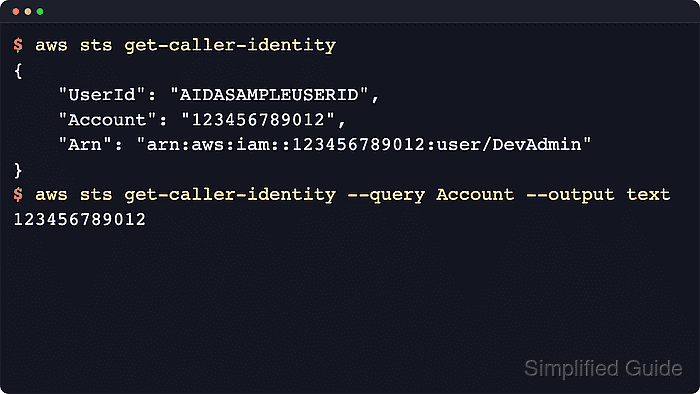
The STS get-caller-identity operation returns the UserId, Account, and Arn for the credentials that actually signed the request. AWS documents this call as not requiring an explicit allow on sts:GetCallerIdentity, but the CLI still needs valid credentials so it can sign the request at all.
The active identity can come from a named profile, exported credential variables, a credential_process helper, cached IAM Identity Center credentials, or an attached role on a container or instance. If the returned account or Arn is wrong, inspect the winning credential source before running the next command.
Steps to check the current caller identity in AWS CLI:
- Run the identity call from the same shell session that will run the real AWS command.
$ aws sts get-caller-identity --output json
{
    "UserId": "AIDASAMPLEUSERID",
    "Account": "123456789012",
    "Arn": "arn:aws:iam::123456789012:user/PlatformOperator"
}
The Account field is the target AWS account number, and the Arn shows what kind of principal the shell is using right now.
- Return only the account number when you need one stable preflight value before a deployment, data copy, or other account-sensitive action.
$ aws sts get-caller-identity --query Account --output text
123456789012
Use this account-only form when the only question is which AWS account the next command will touch.
- Return only the Arn when you need to confirm the exact user, role, or role session name.
$ aws sts get-caller-identity --query Arn --output text
arn:aws:iam::123456789012:user/PlatformOperator
arn:aws:iam::...:user/... means the shell is using an IAM user, while arn:aws:sts::...:assumed-role/.../... means the request is signed with temporary role credentials and the final segment is the current role session name.
- Check a named profile explicitly when the shell default is not trusted for the next request.
$ aws sts get-caller-identity --profile operations-admin --output json
{
    "UserId": "AROAEXAMPLEID:cli-session",
    "Account": "210987654321",
    "Arn": "arn:aws:sts::210987654321:assumed-role/OperationsAdmin/cli-session"
}
--profile selects the named profile for that one request and ignores any AWS_PROFILE selection, so the command does not depend on the shell's default profile.
- Inspect the resolved configuration when the returned account or Arn is wrong.
$ aws configure list --profile operations-admin
NAME       : VALUE                    : TYPE                    : LOCATION
profile    : operations-admin         : manual                  : --profile
access_key : ****************ABCD     : shared-credentials-file :
secret_key : ****************WXYZ     : shared-credentials-file :
region     : us-east-1                : config-file             : ~/.aws/config
If the TYPE column shows env, exported variables are winning over file-backed settings. If the profile uses IAM Identity Center or credential_process, refresh that login or helper first and then run aws sts get-caller-identity again.
Related: How to log in to AWS CLI with IAM Identity Center
Related: How to configure credential_process in AWS CLI - Stop only when the returned account number and Arn match the environment you intend to touch.
$ aws sts get-caller-identity --profile operations-admin --query Arn --output text
arn:aws:sts::210987654321:assumed-role/OperationsAdmin/cli-session
Run an account-only or Arn-only check immediately before deployments, permission changes, and data-moving commands.

Mohd Shakir Zakaria is a cloud architect with deep roots in software development and open-source advocacy. Certified in AWS, Red Hat, VMware, ITIL, and Linux, he specializes in designing and managing robust cloud and on-premises infrastructures.


