Moving an Appium smoke test from a local server to BrowserStack App Automate changes where the WebDriver session is created and where the app is installed. The client still sends W3C capabilities, but BrowserStack needs account credentials, an uploaded app ID, and a supported cloud device before it can start a real-device session.
The upload API returns a bs://app-id value that identifies the Android or iOS build stored in App Automate. The Appium client then sends that value through the appium:app capability, sends BrowserStack credentials through bstack:options, and opens BrowserStack's remote WebDriver endpoint instead of a local Appium server.
Use one small Android smoke test before migrating a full suite so device selection, app upload, credentials, and dashboard grouping are checked in a narrow place. Store the username and access key in the shell or CI secret store, keep real bs://app-id values out of committed examples, and enable BrowserStack Local only when the tested app must reach localhost or an internal network.
Steps to connect Appium to BrowserStack App Automate:
- Set the BrowserStack credentials in the current shell.
$ export BROWSERSTACK_USERNAME="your_username"
$ export BROWSERSTACK_ACCESS_KEY="your_access_key"
Do not commit real BrowserStack credentials to the test repository, shell history exports, CI logs, or screenshots.
- Upload the BrowserStack sample Android app by public URL.
$ curl --user "$BROWSERSTACK_USERNAME:$BROWSERSTACK_ACCESS_KEY" \
  --request POST "https://api-cloud.browserstack.com/app-automate/upload" \
  --form "url=https://www.browserstack.com/app-automate/sample-apps/android/WikipediaSample.apk"
{"app_url":"bs://f7c874f21852ba57957a3fdc33f47514288c4ba4"}
The app_url value is the app identifier used in the Appium capability payload. Replace the sample URL with the URL or file upload path for the application under test after the connection smoke test works.
Related: How to install an app for an Appium session - Save the uploaded app ID for the smoke test.
$ export BROWSERSTACK_APP_URL="bs://f7c874f21852ba57957a3fdc33f47514288c4ba4"
- Create a Python Appium smoke test for one Android cloud device.
$ cat > browserstack-smoke.py <<'PY'
import os

from appium import webdriver
from appium.options.common import AppiumOptions


options = AppiumOptions().load_capabilities({
    "platformName": "Android",
    "appium:automationName": "UiAutomator2",
    "appium:deviceName": "Google Pixel 8",
    "appium:platformVersion": "14.0",
    "appium:app": os.environ["BROWSERSTACK_APP_URL"],
    "bstack:options": {
        "userName": os.environ["BROWSERSTACK_USERNAME"],
        "accessKey": os.environ["BROWSERSTACK_ACCESS_KEY"],
        "projectName": "Appium BrowserStack smoke",
        "buildName": "browserstack-connect",
        "sessionName": "open uploaded app",
    },
})

driver = webdriver.Remote("https://hub.browserstack.com/wd/hub", options=options)

try:
    print(f"Session: {driver.session_id}")
    print(f"Current package: {driver.current_package}")
finally:
    driver.quit()
PY
Use a device and platform version listed in the BrowserStack device catalog. If the app calls localhost or private hosts, start BrowserStack Local first and add "local": "true" inside bstack:options.
- Run the BrowserStack smoke test.
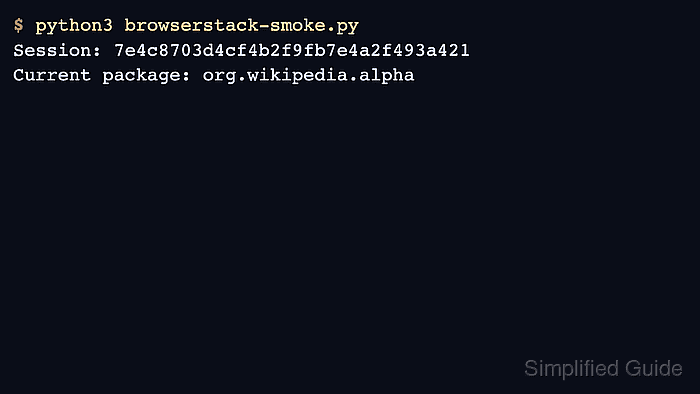
$ python3 browserstack-smoke.py
Session: 7e4c8703d4cf4b2f9fb7e4a2f493a421
Current package: org.wikipedia.alpha
The session ID confirms that BrowserStack accepted the Appium capabilities and created a remote WebDriver session. The package name confirms that the uploaded Wikipedia sample app opened on the selected Android device.
- Open the App Automate dashboard and find the browserstack-connect build.
The run should appear under the Appium BrowserStack smoke project with the open uploaded app session name. BrowserStack also exposes the same session ID through its App Automate results API.
- Remove the temporary smoke test after the BrowserStack connection is proven.
$ rm browserstack-smoke.py

Mohd Shakir Zakaria is a cloud architect with deep roots in software development and open-source advocacy. Certified in AWS, Red Hat, VMware, ITIL, and Linux, he specializes in designing and managing robust cloud and on-premises infrastructures.


