PySpark jobs often import project-specific helper modules in code that runs on executors, not only on the driver. Packaging those modules into a ZIP keeps worker Python paths aligned with the submitted application without installing the helper code into every Spark node.
The native Spark path for pure Python code is --py-files, which accepts individual .py files plus zipped Python packages and legacy .egg archives. A package ZIP should contain the normal package directory, including __init__.py, so executor-side Python workers can import it the same way the driver imports local code.
This method fits custom Python modules and small pure-Python helpers that ship with one application. Wheel files and dependencies with native libraries need a different packaging path, such as a prebuilt environment, Conda archive, virtualenv archive, PEX file, or cluster-installed runtime, because --py-files only adds Python files and archives to the application path.
Related: How to submit an Apache Spark job
Related: How to add packages to a Spark job
Related: How to run PySpark locally
Steps to package Python dependencies for a PySpark job:
- Choose the package archive and application names.
Package directory: sg_metrics
Package archive: sg_metrics.zip
Spark application: dependency_check.py
Spark application name: sg-py-dependency-package
- Create the Python package directory.
$ mkdir -p sg_metrics
- Add the package initializer.
$ cat > sg_metrics/__init__.py <<'EOF'
from .transforms import describe_value

__all__ = ["describe_value"]
EOF
- Add a small package module.
$ cat > sg_metrics/transforms.py <<'EOF' def describe_value(value): return f"packaged:{value * 10}" EOF - Build the ZIP archive from the package directory.
$ python3 -m zipfile -c sg_metrics.zip sg_metrics
The package directory must sit at the top level of the ZIP. Avoid wrapping it inside an extra parent directory, or executor imports will look in the wrong place.
- Save the PySpark job as dependency_check.py.
- dependency_check.py
from pathlib import Path

from pyspark.sql import SparkSession


def load_partition(values):
    from sg_metrics import describe_value
    return [describe_value(value) for value in values]


spark = SparkSession.builder.appName("sg-py-dependency-package").getOrCreate()
spark.sparkContext.setLogLevel("ERROR")

result = spark.sparkContext.parallelize([1, 2, 3], 2).mapPartitions(load_partition).collect()
pyfiles = [Path(uri).name for uri in spark.sparkContext.listFiles if uri.endswith("sg_metrics.zip")]

print("dependency_import=" + ",".join(result))
print("pyfile_added=" + ",".join(pyfiles))

spark.stop()
The import happens inside load_partition() so the check runs in Spark task execution, not only during driver startup.
- Submit the job with the package archive in --py-files.
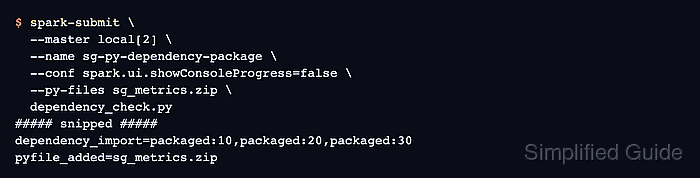
$ spark-submit \
  --master local[2] \
  --name sg-py-dependency-package \
  --conf spark.ui.showConsoleProgress=false \
  --py-files sg_metrics.zip \
  dependency_check.py
##### snipped #####
dependency_import=packaged:10,packaged:20,packaged:30
pyfile_added=sg_metrics.zip
The dependency_import line proves executor-side Python code imported the ZIP package during task execution. The pyfile_added line confirms Spark registered the archive as an application Python file.
- Remove the sample package and job files.
$ rm -r sg_metrics sg_metrics.zip dependency_check.py

Mohd Shakir Zakaria is a cloud architect with deep roots in software development and open-source advocacy. Certified in AWS, Red Hat, VMware, ITIL, and Linux, he specializes in designing and managing robust cloud and on-premises infrastructures.


