ORC stores analytical datasets by column, allowing query engines to read only the fields needed for a calculation. Apache Spark exposes ORC through its built-in DataFrame reader and writer, so a PySpark job can create a partitioned ORC dataset and load it again without an external data-source package.
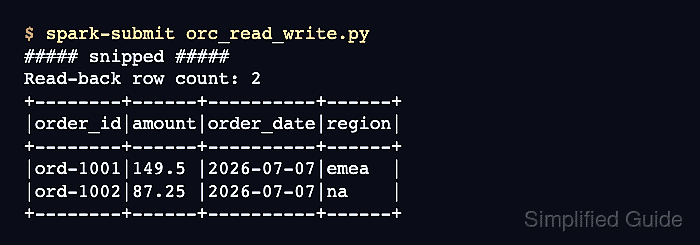
Spark writes an ORC target as a directory containing data files and commit metadata, not as one named file. Partitioning by region moves that column into region=<value> directories, and Spark reconstructs the column when it reads the dataset root.
The sample selects paid orders, writes them with Snappy compression, and reads the directory back. Assertions compare the returned rows, require at least one ORC data file, and check both partition directories before the job reports success.
Related: How to run PySpark locally
Related: How to write partitioned data with Spark
The overwrite write mode deletes every existing file under output/orc-sales.
Steps to read and write ORC files with PySpark:
- Start orc_read_write.py with the imports, output path, and local Spark session.
- orc_read_write.py
from pathlib import Path

from pyspark.sql import SparkSession
from pyspark.sql import functions as F

output_path = "output/orc-sales"

spark = (
    SparkSession.builder.master("local[1]")
    .appName("spark-orc-read-write")
    .getOrCreate()
)
spark.sparkContext.setLogLevel("ERROR")
- Add the source orders after the Spark log-level setting.
- orc_read_write.py
orders = spark.createDataFrame(
    [
        ("ORD-1001", "emea", 149.50, "paid", "2026-07-07"),
        ("ORD-1002", "na", 87.25, "paid", "2026-07-07"),
        ("ORD-1003", "emea", 42.00, "cancelled", "2026-07-07"),
    ],
    "order_id string, region string, amount double, status string, order_date string",
)
- Filter the source DataFrame to the paid-order columns needed in ORC.
- orc_read_write.py
paid_orders = orders.filter(F.col("status") == "paid").select(
    "order_id", "region", "amount", "order_date"
)
- Write the paid orders below the selection as Snappy-compressed ORC partitioned by region.
- orc_read_write.py
paid_orders.write.orc(
    output_path,
    mode="overwrite",
    partitionBy="region",
    compression="snappy",
)
- Load the ORC dataset root after the write operation.
- orc_read_write.py
read_back = spark.read.orc(output_path).orderBy("order_id")
- Add row, data-file, and partition-directory assertions below the read operation.
- orc_read_write.py
actual_rows = [
    tuple(row)
    for row in read_back.select(
        "order_id", "amount", "order_date", "region"
    ).collect()
]
expected_rows = [
    ("ORD-1001", 149.5, "2026-07-07", "emea"),
    ("ORD-1002", 87.25, "2026-07-07", "na"),
]
assert actual_rows == expected_rows, actual_rows

data_files = sorted(Path(output_path).glob("region=*/part-*.orc"))
assert data_files, "No ORC data files were written"

partition_directories = sorted(
    path.name for path in Path(output_path).glob("region=*") if path.is_dir()
)
assert partition_directories == ["region=emea", "region=na"], partition_directories
- Finish the script with the verified rows, file count, partition names, and Spark shutdown.
- orc_read_write.py
print("ORC rows:")
read_back.select("order_id", "amount", "order_date", "region").show(
    truncate=False
)
print(f"ORC data files: {len(data_files)}")
print("ORC partition directories:", ", ".join(partition_directories))

spark.stop()
- Compare orc_read_write.py with the consolidated program before execution.
- orc_read_write.py
from pathlib import Path

from pyspark.sql import SparkSession
from pyspark.sql import functions as F

output_path = "output/orc-sales"

spark = (
    SparkSession.builder.master("local[1]")
    .appName("spark-orc-read-write")
    .getOrCreate()
)
spark.sparkContext.setLogLevel("ERROR")

orders = spark.createDataFrame(
    [
        ("ORD-1001", "emea", 149.50, "paid", "2026-07-07"),
        ("ORD-1002", "na", 87.25, "paid", "2026-07-07"),
        ("ORD-1003", "emea", 42.00, "cancelled", "2026-07-07"),
    ],
    "order_id string, region string, amount double, status string, order_date string",
)

paid_orders = orders.filter(F.col("status") == "paid").select(
    "order_id", "region", "amount", "order_date"
)

paid_orders.write.orc(
    output_path,
    mode="overwrite",
    partitionBy="region",
    compression="snappy",
)

read_back = spark.read.orc(output_path).orderBy("order_id")
actual_rows = [
    tuple(row)
    for row in read_back.select(
        "order_id", "amount", "order_date", "region"
    ).collect()
]
expected_rows = [
    ("ORD-1001", 149.5, "2026-07-07", "emea"),
    ("ORD-1002", 87.25, "2026-07-07", "na"),
]
assert actual_rows == expected_rows, actual_rows

data_files = sorted(Path(output_path).glob("region=*/part-*.orc"))
assert data_files, "No ORC data files were written"

partition_directories = sorted(
    path.name for path in Path(output_path).glob("region=*") if path.is_dir()
)
assert partition_directories == ["region=emea", "region=na"], partition_directories

print("ORC rows:")
read_back.select("order_id", "amount", "order_date", "region").show(
    truncate=False
)
print(f"ORC data files: {len(data_files)}")
print("ORC partition directories:", ", ".join(partition_directories))

spark.stop()
- Run the completed ORC job with spark-submit.
$ spark-submit orc_read_write.py
##### snipped #####
ORC rows:
+--------+------+----------+------+
|order_id|amount|order_date|region|
+--------+------+----------+------+
|ORD-1001|149.5 |2026-07-07|emea  |
|ORD-1002|87.25 |2026-07-07|na    |
+--------+------+----------+------+

ORC data files: 2
ORC partition directories: region=emea, region=na
The job stops at an assertion if the ORC read returns different rows, no ORC part file exists, or either partition directory is missing. The table and directory summary appear only after all three checks pass.

Mohd Shakir Zakaria is a cloud architect with deep roots in software development and open-source advocacy. Certified in AWS, Red Hat, VMware, ITIL, and Linux, he specializes in designing and managing robust cloud and on-premises infrastructures.


