HDFS snapshots preserve a point-in-time view of a directory without copying the full dataset. They are useful before application releases, bulk updates, and cleanup jobs where rollback needs a namespace-level reference.
A directory must be marked snapshottable before a snapshot can be created. Snapshot names should identify the change or date so operators can find the right restore point later.
Snapshots protect namespace references, not every operational risk. They do not replace off-cluster backups or capacity planning for retained data.
Related: How to create a Hadoop NameNode checkpoint
Related: How to download a file from HDFS
Steps to create an HDFS snapshot:
- List the target directory before enabling snapshots.
$ hdfs dfs -ls /data/events
Found 2 items
drwxr-x---   - alice analytics          0 2026-06-17 03:00 /data/events/day=2026-06-16
drwxr-x---   - alice analytics          0 2026-06-17 03:00 /data/events/day=2026-06-17
- Allow snapshots on the directory.
$ hdfs dfsadmin -allowSnapshot /data/events
Allowing snapshot on /data/events succeeded
- Create the named snapshot.
$ hdfs dfs -createSnapshot /data/events before-retention-change
Created snapshot /data/events/.snapshot/before-retention-change
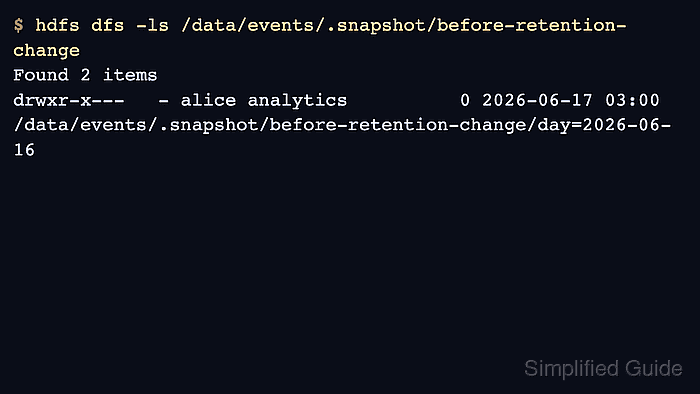
- Verify the snapshot contents.
$ hdfs dfs -ls /data/events/.snapshot/before-retention-change
Found 2 items
drwxr-x---   - alice analytics          0 2026-06-17 03:00 /data/events/.snapshot/before-retention-change/day=2026-06-16
drwxr-x---   - alice analytics          0 2026-06-17 03:00 /data/events/.snapshot/before-retention-change/day=2026-06-17
- Compare snapshots when a later snapshot exists.
$ hdfs snapshotDiff /data/events before-retention-change after-retention-change
Difference between snapshot before-retention-change and snapshot after-retention-change under directory /data/events:
M	.
-	./day=2026-05-01

Author: Mohd
Shakir Zakaria
Mohd Shakir Zakaria is a cloud architect with deep roots in software development and open-source advocacy. Certified in AWS, Red Hat, VMware, ITIL, and Linux, he specializes in designing and managing robust cloud and on-premises infrastructures.


Mohd Shakir Zakaria is a cloud architect with deep roots in software development and open-source advocacy. Certified in AWS, Red Hat, VMware, ITIL, and Linux, he specializes in designing and managing robust cloud and on-premises infrastructures.