HDFS high availability keeps a standby NameNode ready to take over when the active NameNode fails. With QJM, both NameNodes write edit logs through a quorum of JournalNode daemons instead of relying on shared storage.
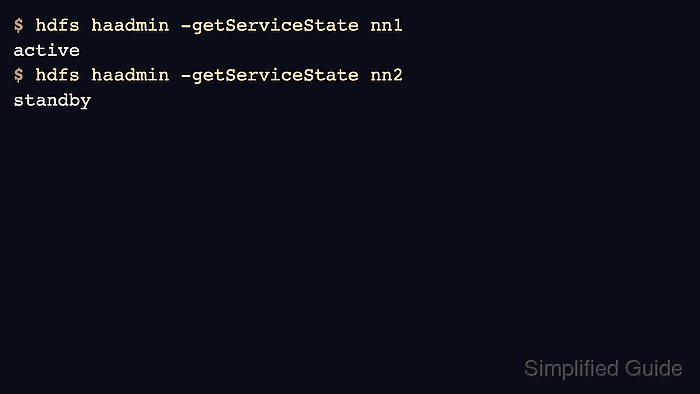
The HA configuration must name the logical namespace, both NameNode RPC addresses, JournalNode quorum, and failover provider. Format the first NameNode, initialize shared edits, bootstrap the standby, and verify active and standby states before relying on failover.
Use an odd number of JournalNodes on separate hosts. A two-node quorum cannot tolerate a JournalNode loss and still protect the edit log.
Steps to configure HDFS high availability with QJM:
- Define the logical nameservice and NameNode IDs.
- hdfs-site.xml
<property>
  <name>dfs.nameservices</name>
  <value>cluster1</value>
</property>
<property>
  <name>dfs.ha.namenodes.cluster1</name>
  <value>nn1,nn2</value>
</property>
- Set the NameNode RPC addresses.
- hdfs-site.xml
<property>
  <name>dfs.namenode.rpc-address.cluster1.nn1</name>
  <value>nn1.example.net:8020</value>
</property>
<property>
  <name>dfs.namenode.rpc-address.cluster1.nn2</name>
  <value>nn2.example.net:8020</value>
</property>
- Set the JournalNode quorum and failover provider.
- hdfs-site.xml
<property>
  <name>dfs.namenode.shared.edits.dir</name>
  <value>qjournal://jn1.example.net:8485;jn2.example.net:8485;jn3.example.net:8485/cluster1</value>
</property>
<property>
  <name>dfs.client.failover.proxy.provider.cluster1</name>
  <value>org.apache.hadoop.hdfs.server.namenode.ha.ConfiguredFailoverProxyProvider</value>
</property>
- Start the JournalNode daemons.
$ hdfs --daemon start journalnode
Run this on each JournalNode host before formatting shared edits.
- Format the first NameNode and initialize shared edits.
$ hdfs namenode -format -clusterId hadoop-ha01
Storage directory /data/hadoop/hdfs/name has been successfully formatted.
- Bootstrap the standby NameNode.
$ hdfs namenode -bootstrapStandby ===================================================== About to bootstrap Standby ID nn2 from: Nameservice ID: cluster1 Other Namenode ID: nn1 ===================================================== Storage directory /data/hadoop/hdfs/name has been successfully formatted. - Verify NameNode HA states.
$ hdfs haadmin -getServiceState nn1
active
- Check the standby state.
$ hdfs haadmin -getServiceState nn2
standby

Author: Mohd
Shakir Zakaria
Mohd Shakir Zakaria is a cloud architect with deep roots in software development and open-source advocacy. Certified in AWS, Red Hat, VMware, ITIL, and Linux, he specializes in designing and managing robust cloud and on-premises infrastructures.


Mohd Shakir Zakaria is a cloud architect with deep roots in software development and open-source advocacy. Certified in AWS, Red Hat, VMware, ITIL, and Linux, he specializes in designing and managing robust cloud and on-premises infrastructures.