Manual compaction in Apache Cassandra is a table maintenance action for times when automatic compaction cannot wait for the next normal cycle. Running it against a named keyspace and table keeps the operation bounded, which matters because compaction rewrites local SSTable files and can add disk and CPU load while the node keeps serving traffic.
The nodetool compact command connects to a Cassandra node through JMX and asks that node to compact the selected table's local SSTables. It does not run a cluster-wide repair, does not change the table's compaction strategy, and should be repeated deliberately on each node that needs the same local maintenance.
Use a maintenance window when the table is large or the node already has pending compaction work. If JMX authentication or a remote management port is required, apply the same connection options consistently to each nodetool command below.
Steps to run Apache Cassandra table compaction:
- Confirm the target table and current SSTable count.
$ nodetool tablestats appks.events
Total number of tables: 1
----------------
Keyspace: appks
	Read Count: 0
	Write Count: 9
	Pending Flushes: 0
		Table: events
		SSTable count: 3
		Old SSTable count: 0
		Max SSTable size: 5.001KiB
		Space used (live): 15357
##### snipped #####
		Droppable tombstone ratio: 0.00000

----------------
Use the keyspace.table form so the check is tied to the same table that will be compacted.
- Check current compaction activity before starting the manual job.
$ nodetool compactionstats -H
concurrent compactors            2
pending tasks                    0
compactions completed            4
data compacted                   47.08 KiB
compactions aborted              0
compactions reduced              0
sstables dropped from compaction 0
15 minute rate                   0.27/minute
mean rate                        228.24/hour
compaction throughput (MiB/s)    64.0
Delay the manual run if the node already has a high pending-task count, heavy read/write load, or low free disk space.
- Run table-scoped compaction with split output for the selected keyspace and table.
$ nodetool compact --split-output appks events
Do not omit the keyspace and table unless the intent is to compact a much broader scope on the connected node.
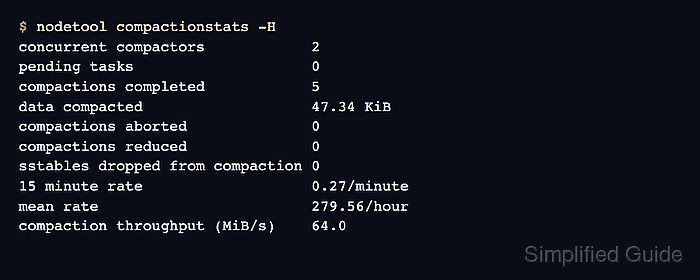
- Check compaction progress or completion after the command returns.
$ nodetool compactionstats -H
concurrent compactors            2
pending tasks                    0
compactions completed            5
data compacted                   47.34 KiB
compactions aborted              0
compactions reduced              0
sstables dropped from compaction 0
15 minute rate                   0.27/minute
mean rate                        279.56/hour
compaction throughput (MiB/s)    64.0
For a larger table, rerun nodetool compactionstats -H until the active task finishes or the pending count reaches the expected level.
Related: How to view Apache Cassandra logs - Confirm the table's post-compaction state.
$ nodetool tablestats appks.events
Total number of tables: 1
----------------
Keyspace: appks
	Read Count: 0
	Write Count: 9
	Pending Flushes: 0
		Table: events
		SSTable count: 1
		Old SSTable count: 0
		Max SSTable size: 5.195KiB
		Space used (live): 5320
##### snipped #####
		Droppable tombstone ratio: 0.00000

----------------
The exact SSTable count depends on the compaction strategy, table size, and split behavior. The check should show that the command affected the intended table and that no pending compaction remains for the maintenance window.

Mohd Shakir Zakaria is a cloud architect with deep roots in software development and open-source advocacy. Certified in AWS, Red Hat, VMware, ITIL, and Linux, he specializes in designing and managing robust cloud and on-premises infrastructures.


