Project code often needs environment-specific values such as an application mode, a data directory, or a tool flag without adding them to shell startup files. A Conda environment can store those values with the environment so they appear only when that environment is active.
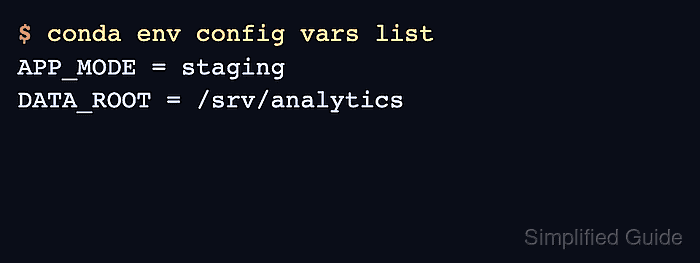
Conda stores environment-scoped variables through conda env config vars. The saved values belong to the environment prefix rather than the user profile, and the active shell must leave and re-enter the environment before newly saved variables are exported.
Saved variables are included in environment exports, so keep secrets out of values that may later be shared through environment.yml or another exported file. Use this feature for project paths, modes, non-secret feature flags, and service endpoints that belong with the environment; use a secret manager or a local ignored file for passwords and tokens.
Related: How to activate a Conda environment
Related: How to export a Conda environment to YAML
Steps to set Conda environment variables:
- Activate the target Conda environment.
$ conda activate analytics-env
Replace analytics-env with the environment that should receive the saved variables.
- List the variables already saved in the active environment.
$ conda env config vars list
No output means the environment does not have saved variables yet.
- Set the environment variables.
$ conda env config vars set APP_MODE=staging DATA_ROOT=/srv/analytics
To make your changes take effect please reactivate your environment
Values saved with conda env config vars are retained by conda env export. Do not save passwords, API tokens, or private keys here when the environment file may be shared.
- Deactivate the environment.
$ conda deactivate
- Reactivate the environment so Conda exports the saved variables into the shell.
$ conda activate analytics-env
- List the saved variables again.
$ conda env config vars list
APP_MODE = staging
DATA_ROOT = /srv/analytics
- Check that the active shell can read one of the variables.
$ echo $APP_MODE
staging
- Deactivate the environment when finished.
$ conda deactivate
- Confirm the variable no longer remains in the shell.
$ echo ${APP_MODE:-unset}
unset

Mohd Shakir Zakaria is a cloud architect with deep roots in software development and open-source advocacy. Certified in AWS, Red Hat, VMware, ITIL, and Linux, he specializes in designing and managing robust cloud and on-premises infrastructures.


