Renaming an Anaconda environment changes the name Conda uses to find that environment without rebuilding the project by hand. It helps when an environment started with a temporary name, a project is handed to another team, or commands need to match the name people now use.
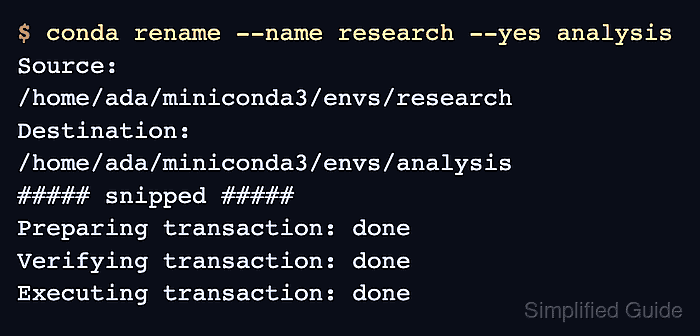
conda rename targets an existing environment by name or prefix, creates the destination environment, and removes the old entry after the transaction succeeds. The destination name must not already exist, and the source environment must not be base or the environment currently active in the shell.
Scripts, notebooks, IDE settings, Jupyter kernels, and scheduled jobs that still point to the old environment name or old prefix need separate updates after the rename. Check the environment list before and after the command so the rename is visible before dependent tooling is changed.
Related: How to list Anaconda environments
Related: How to clone an Anaconda environment
Related: How to remove an Anaconda environment
Steps to rename an Anaconda environment:
- List Conda environments and identify the source name.
$ conda info --envs

# conda environments:
#
# * -> active
# + -> frozen
base                  *  /home/ada/miniconda3
research                 /home/ada/miniconda3/envs/research
The base environment and the environment marked with * cannot be renamed. Run conda deactivate until the source environment is no longer active, or open a new terminal that starts outside that environment.
- Rename the environment to the new name.
$ conda rename --name research --yes analysis
Source:      /home/ada/miniconda3/envs/research
Destination: /home/ada/miniconda3/envs/analysis
##### snipped #####
Preparing transaction: done
Verifying transaction: done
Executing transaction: done
The --yes option skips the confirmation prompt. Omit it when you want Conda to ask before it creates the destination environment and removes the old one. For a custom source path, use --prefix /full/path/to/environment instead of --name research.
- Confirm the new environment name appears and the old name is gone.
$ conda info --envs

# conda environments:
#
# * -> active
# + -> frozen
base                  *  /home/ada/miniconda3
analysis                 /home/ada/miniconda3/envs/analysis
- List packages from the renamed environment.
$ conda list --name analysis
# packages in environment at /home/ada/miniconda3/envs/analysis:
#
# Name                     Version          Build            Channel
python                    3.13.5           h3f84c4b_100_cp313
pip                       25.1             pyhc872135_2
##### snipped #####
conda list proves Conda can address the environment under the new name. Package versions and build strings vary with the renamed environment.

Mohd Shakir Zakaria is a cloud architect with deep roots in software development and open-source advocacy. Certified in AWS, Red Hat, VMware, ITIL, and Linux, he specializes in designing and managing robust cloud and on-premises infrastructures.


