Updating the Conda package manager keeps the base environment aligned with the channel metadata it uses to solve installs and environment changes. The update should target base even when another environment is active, because the conda command is installed there.
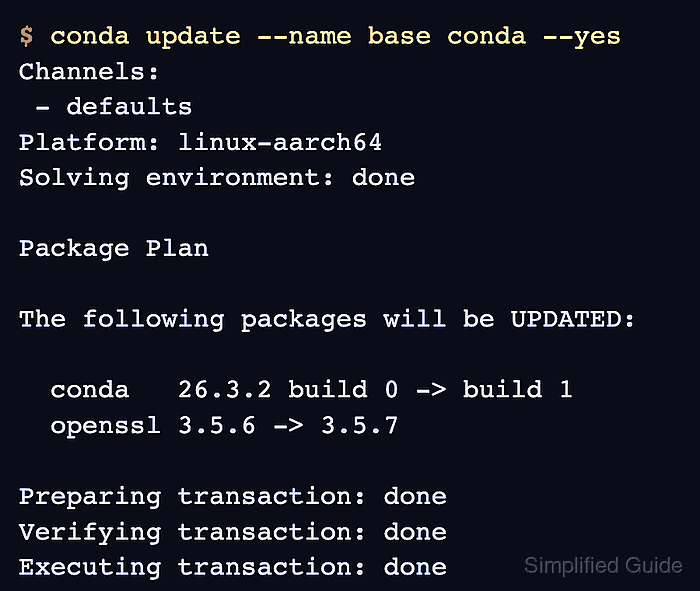
The conda update command asks the solver for the newest compatible build of the requested package in the selected channels. A dry run is worth checking first because the transaction can update certificates, OpenSSL, or helper packages that Conda uses for downloads and TLS validation.
Anaconda's defaults channels may require Terms of Service acceptance before any install or update command can read package metadata. Review the prompt or channel URL under your organization's policy before accepting; otherwise remove or replace the channel and rerun the dry run.
Steps to update the Conda package manager:
- Check the installed Conda package in base.
$ conda list --name base conda
# packages in environment at /opt/conda:
#
# Name                      Version          Build            Channel
conda                       26.3.2           py313hd43f75c_0
conda-anaconda-tos          0.2.2            py313hd43f75c_1
##### snipped #####
- Review the planned Conda update without changing base.
$ conda update --name base conda --dry-run
Channels:
 - defaults
Platform: linux-aarch64
Collecting package metadata (repodata.json): done
Solving environment: done

DryRunExit: Dry run. Exiting.

## Package Plan ##

  added / updated specs:
    - conda

The following packages will be UPDATED:

  conda    26.3.2-py313hd43f75c_0 --> 26.3.2-py313hd43f75c_1
  openssl  3.5.6-h39c9139_0       --> 3.5.7-h39c9139_0
##### snipped #####
--dry-run shows the solver's package plan without writing to the target environment.
- Resolve any Anaconda channel Terms of Service blocker shown by the dry run.
$ conda tos accept --override-channels --channel https://repo.anaconda.com/pkgs/main
accepted Terms of Service for https://repo.anaconda.com/pkgs/main
Accept channel terms only after reviewing them and confirming that the channel is allowed for your environment. Repeat the command for each blocked channel that Conda lists, or remove the channel before continuing.
- Apply the update to the base environment.
$ conda update --name base conda --yes
Channels:
 - defaults
Platform: linux-aarch64
Collecting package metadata (repodata.json): done
Solving environment: done

## Package Plan ##

  added / updated specs:
    - conda

The following packages will be UPDATED:

  conda    26.3.2-py313hd43f75c_0 --> 26.3.2-py313hd43f75c_1
  openssl  3.5.6-h39c9139_0       --> 3.5.7-h39c9139_0
##### snipped #####
Preparing transaction: done
Verifying transaction: done
Executing transaction: done
Leave off --yes when you want Conda to pause for interactive confirmation after printing the package plan.
- Confirm the Conda package row changed in base.
$ conda list --name base conda
# packages in environment at /opt/conda:
#
# Name                      Version          Build            Channel
conda                       26.3.2           py313hd43f75c_1
conda-anaconda-tos          0.2.2            py313hd43f75c_1
##### snipped #####
If a newer-version warning remains after a successful transaction, Conda still installed the newest compatible build selected from the active channels. Review pinned packages and channel choices before forcing a different version.

Mohd Shakir Zakaria is a cloud architect with deep roots in software development and open-source advocacy. Certified in AWS, Red Hat, VMware, ITIL, and Linux, he specializes in designing and managing robust cloud and on-premises infrastructures.


