How to use parameter expansion in Zsh
Shell scripts often carry one value through argument defaults, display labels, and derived file paths. Zsh parameter expansion transforms that value while the shell substitutes it, so a script can build each form without starting basename, dirname, or another helper process.
Braces separate the parameter name from its operation. The :- operator supplies a fallback for an unset or empty parameter, flags such as (U) change the expanded text, :offset:length selects part of a scalar, and history-style modifiers such as :h, :t, :r, and :e transform path components.
Ordinary unquoted scalar expansions are not split on whitespace under native Zsh options unless SH_WORD_SPLIT is enabled. Quoting expansions used as command arguments still preserves empty values and keeps the script predictable if arrays or option changes are introduced later.
Related: How to use variables in Zsh
Related: How to use arrays in Zsh
Related: How to use glob qualifiers in Zsh
Related: Use parameter expansion in Bash
Steps to use parameter expansion in Zsh:
- Create expansion-demo.zsh with the service argument and log-path state.
- expansion-demo.zsh
#!/usr/bin/env zsh
emulate -L zsh
setopt err_exit no_unset

service=${1:-api-worker}
empty=""
log_path="/srv/app/releases/${service}.log"
${1:-api-worker} uses api-worker when the first argument is unset or empty. The braces also separate service from the .log suffix in ${service}.log.
- Add case conversion, substring selection, and path modifiers after the log_path assignment.
- expansion-demo.zsh
upper=${(U)service}
prefix=${service:0:3}
file=${log_path:t}
directory=${log_path:h}
rotated=${log_path:r}.1.${log_path:e}
${(U)service} uppercases the value, while the path modifiers select the filename, parent directory, root, and extension without inspecting the filesystem.
- Append the expanded values to the end of expansion-demo.zsh.
- expansion-demo.zsh
print -r -- "service=${service}"
print -r -- "fallback=${empty:-default-service}"
print -r -- "upper=${upper}"
print -r -- "prefix=${prefix}"
print -r -- "file=${file}"
print -r -- "directory=${directory}"
print -r -- "rotated=${rotated}"
- Check the completed script for Zsh syntax errors.
$ zsh -n expansion-demo.zsh
No output and exit status 0 mean that Zsh parsed the file successfully.
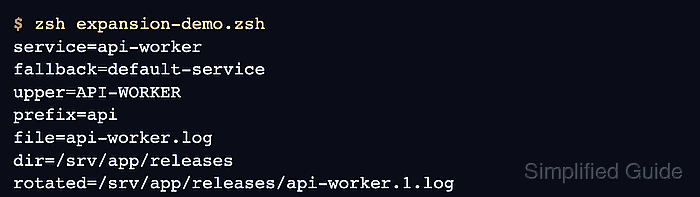
- Run the script without an argument to exercise the default and empty-value fallbacks.
$ zsh expansion-demo.zsh
service=api-worker
fallback=default-service
upper=API-WORKER
prefix=api
file=api-worker.log
directory=/srv/app/releases
rotated=/srv/app/releases/api-worker.1.log
- Run the script with frontend to confirm that every derived value follows the supplied argument.
$ zsh expansion-demo.zsh frontend
service=frontend
fallback=default-service
upper=FRONTEND
prefix=fro
file=frontend.log
directory=/srv/app/releases
rotated=/srv/app/releases/frontend.1.log