How to loop over files in Zsh
File loops let a Zsh script apply one action to every path that matches a pattern, such as checking each log file before an archive job. The glob pattern sets the boundary because names with spaces must stay as one argument, and an unmatched pattern should not become stray literal text.
A for loop receives pathnames after Zsh expands the words in the loop header. Quoting the loop variable keeps each pathname intact, while the (N) glob qualifier makes only that pattern behave like NULL_GLOB when no files match.
The sample script counts lines in logs/*.log and leaves logs/readme.txt untouched. After the matching files move to archive/, the same script produces no output, so the empty match set is skipped instead of treated as an error.
Related: How to use glob qualifiers in Zsh
Related: How to use arrays in Zsh
Related: Loop over files in Bash
Steps to loop over files in Zsh:
- Create a small test directory with three log files and one non-log file.
$ mkdir -p logs
$ printf 'one\ntwo\n' > logs/app.log
$ printf 'one\n' > logs/db.log
$ printf 'one\ntwo\n' > 'logs/web access.log'
$ printf 'skip\n' > logs/readme.txt
- Create the loop script.
- count-logs.zsh
#!/usr/bin/env zsh
emulate -L zsh
setopt err_exit

for logfile in logs/*.log(N); do
    lines=$(grep -c "" "$logfile")
    print -r -- "$logfile:$lines"
done
The (N) qualifier applies NULL_GLOB only to logs/*.log. Quoting $logfile keeps logs/web access.log as one path when passed to grep.
- Check the script syntax.
$ zsh -n count-logs.zsh
No output means Zsh parsed the loop without finding a syntax error.
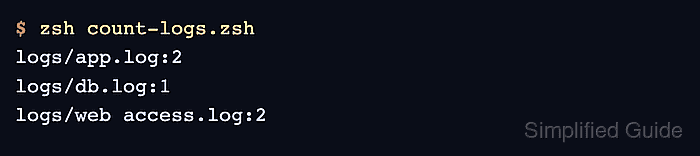
- Run the script and confirm that only *.log files are listed.
$ zsh count-logs.zsh
logs/app.log:2
logs/db.log:1
logs/web access.log:2
- Move the matching log files out of the loop path.
$ mkdir -p archive
$ mv logs/*.log archive/
- Run the script against an empty match set.
$ zsh count-logs.zsh
No output means (N) removed the unmatched logs/*.log pattern before the loop started.
- Remove the sample script and directories.
$ rm -rf archive count-logs.zsh logs