How to manage Zsh command history
Zsh command history keeps interactive work available for recall, review, and reuse, but it also decides how long commands remain on disk and whether accidental duplicates or space-prefixed commands are saved. Managing it means setting the active history file, choosing retention limits, and confirming that the shell can list and write the expected entries.
Interactive Zsh uses HISTFILE for the saved history path, HISTSIZE for the in-memory event limit, and SAVEHIST for the number of entries written to disk. History options then control when entries are appended, how duplicate lines are handled, and whether a command that begins with a space is kept out of history.
A baseline configuration writes each finished command to the history file, keeps duplicate lines from crowding the saved list, and allows a leading space to keep a command out of history after the option is loaded. It keeps shared-history import behavior off so the saved file changes in one predictable path; use shared history only when multiple open Zsh sessions should exchange commands while they are still running.
Related: How to enable shared command history in Zsh
Related: How to set Zsh shell options
Related: Manage Bash command history
Steps to manage Zsh command history:
- Create ~/.zshrc if it does not exist, then back it up before changing history behavior.
$ touch ~/.zshrc
$ cp ~/.zshrc ~/.zshrc.bak
- Open the current user's Zsh rc file.
$ nano ~/.zshrc
Use $ZDOTDIR/.zshrc instead when the account stores Zsh startup files outside the home directory.
- Add or update the history settings near the other interactive shell settings.
- ~/.zshrc
HISTFILE="${ZDOTDIR:-$HOME}/.zsh_history"
HISTSIZE=5000
SAVEHIST=5000
unsetopt share_history
unsetopt inc_append_history_time
setopt inc_append_history
setopt hist_ignore_dups
setopt hist_save_no_dups
setopt hist_ignore_space
inc_append_history writes commands as they finish, hist_ignore_dups avoids consecutive duplicates, hist_save_no_dups skips duplicate lines when saving, and hist_ignore_space keeps commands that begin with a space out of history. share_history and inc_append_history_time stay off so this setup does not mix active-terminal imports with the incremental append path.
hist_ignore_space affects commands typed after the option is loaded. It does not remove older sensitive entries from the current shell or from the saved history file.
- Check the edited startup file for syntax errors.
$ zsh -n ~/.zshrc
No output indicates that Zsh parsed the file successfully.
- Load the updated settings in the current terminal.
$ source ~/.zshrc
- Confirm the active history file and retention limits.
$ printf 'HISTFILE=%s\nHISTSIZE=%s\nSAVEHIST=%s\n' "$HISTFILE" "$HISTSIZE" "$SAVEHIST"
HISTFILE=/home/user/.zsh_history
HISTSIZE=5000
SAVEHIST=5000
- Confirm the selected history options.
$ printf 'inc_append_history=%s\nshare_history=%s\ninc_append_history_time=%s\nhist_ignore_dups=%s\nhist_save_no_dups=%s\nhist_ignore_space=%s\n' "$options[incappendhistory]" "$options[sharehistory]" "$options[incappendhistorytime]" "$options[histignoredups]" "$options[histsavenodups]" "$options[histignorespace]"
inc_append_history=on
share_history=off
inc_append_history_time=off
hist_ignore_dups=on
hist_save_no_dups=on
hist_ignore_space=on
- Add a safe sample command to the current history list without executing it.
$ print -s "git status"
print -s appends the text to Zsh history, which makes the check safe for commands that should not actually run.
- List the current history entries.
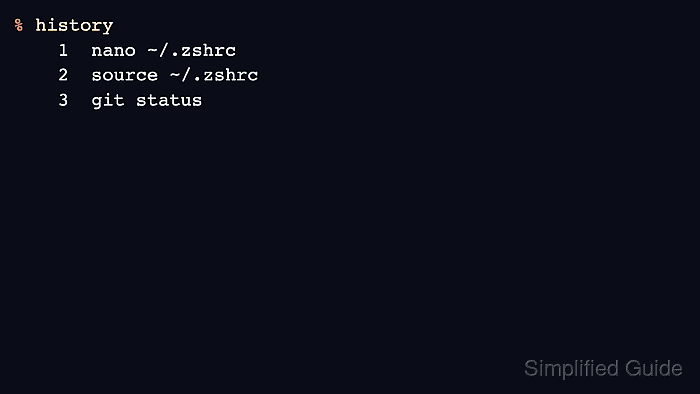
$ history 1 nano ~/.zshrc 2 source ~/.zshrc 3 git status - Write the current history list to $HISTFILE.
$ fc -W
fc -W writes the active Zsh history list to the configured history file and normally prints no output.
- Open a new Zsh terminal and list history from the saved file.
$ history
    1  nano ~/.zshrc
    2  source ~/.zshrc
    3  git status
When checking from a one-off zsh -ic test command instead of a normal terminal, run fc -R before history so the saved file is read into that test shell.
Zsh does not use the Bash deletion command history -d. In Zsh, -d prints timestamps for listed events, so remove sensitive saved lines by closing affected terminals and editing the saved history file.