Shared history lets multiple Zsh terminals exchange commands through the same history file while those terminals are still open. It helps when work moves between tabs or panes and the last command from one shell should be available in another without closing either shell.
Interactive Zsh stores history through HISTFILE, HISTSIZE, SAVEHIST, and history options. share_history appends typed commands to the history file and imports entries written by other Zsh shells that use the same HISTFILE.
A safe verification path writes sample command text with print -s, then imports and lists it from a second Zsh process. That proves the shared-history path without running real deployment commands.
Related: How to manage Zsh command history
Related: How to set Zsh shell options
Steps to enable shared command history in Zsh:
- Create ~/.zshrc if it does not exist, then back it up before changing history behavior.
$ touch ~/.zshrc
$ cp ~/.zshrc ~/.zshrc.bak
- Add the shared-history settings to ~/.zshrc.
- ~/.zshrc
HISTFILE="${ZDOTDIR:-$HOME}/.zsh_history"
HISTSIZE=5000
SAVEHIST=5000
unsetopt inc_append_history
unsetopt inc_append_history_time
setopt share_history
setopt hist_ignore_dups
share_history already performs the append behavior needed for active terminals. Keep inc_append_history and inc_append_history_time off when share_history is enabled.
- Check the startup file for syntax errors.
$ zsh -n ~/.zshrc
No output means Zsh parsed the startup file without finding a syntax error.
- Load the updated settings in the current terminal.
$ source ~/.zshrc
- Confirm the active history file and option state.
$ printf 'HISTFILE=%s\nSAVEHIST=%s\nshare_history=%s\ninc_append_history=%s\n' "$HISTFILE" "$SAVEHIST" "$options[sharehistory]" "$options[incappendhistory]"
HISTFILE=/home/user/.zsh_history
SAVEHIST=5000
share_history=on
inc_append_history=off
- Start one Zsh process and write two safe sample commands into its history list.
$ zsh -ic 'print -s "deploy --dry-run"; print -s "deploy --apply"; print -r -- "history_written=yes"'
history_written=yes
print -s adds a command to the history list without executing that command, which keeps the verification safe.
- Open a second Zsh terminal and list the shared history entries.
$ fc -RI
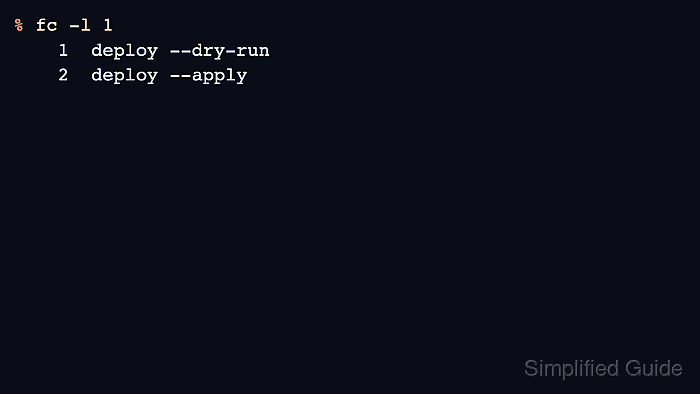
$ fc -l 1
    1  deploy --dry-run
    2  deploy --apply
fc -RI imports entries that other Zsh shells wrote after this shell started. A newly opened interactive terminal usually imports the file during startup, but the explicit import keeps the check repeatable.
- Confirm that commands typed in one real terminal become searchable in another terminal that uses the same HISTFILE.
Shared history can expose sensitive commands across terminals sooner than exit-time history saving. Avoid typing secrets directly into commands, and remove accidental secret-bearing entries before sharing logs.

Mohd Shakir Zakaria is a cloud architect with deep roots in software development and open-source advocacy. Certified in AWS, Red Hat, VMware, ITIL, and Linux, he specializes in designing and managing robust cloud and on-premises infrastructures.


