How to disable XML-RPC in WordPress
Disabling XML-RPC in WordPress closes the legacy remote publishing endpoint at xmlrpc.php. Sites that do not use Jetpack, the WordPress mobile app, or older publishing clients can block that endpoint to reduce brute-force and pingback attack traffic.
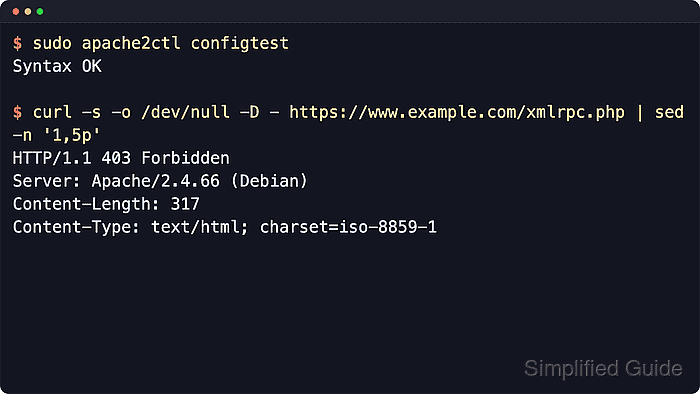
WordPress still includes the XML-RPC API for clients that call methods outside the dashboard and REST API. The xmlrpc_enabled filter disables authenticated XML-RPC methods inside WordPress, but it does not remove every public XML-RPC path or pingback-style method.
An Apache 2.4 file-level access rule blocks xmlrpc.php before the request reaches WordPress. Put the rule in the active virtual host or another server-level include when possible, and use .htaccess only on shared hosting where the host allows the required override directives.
Steps to disable XML-RPC in WordPress:
- Confirm that no active client still depends on XML-RPC.
Common dependencies include Jetpack, the WordPress mobile app, older remote publishing tools, and custom integrations that call xmlrpc.php directly.
- Locate the active Apache virtual host file for the site.
$ sudo apache2ctl -S
VirtualHost configuration:
*:80                   www.example.com (/etc/apache2/sites-enabled/example.com.conf:1)
*:443                  www.example.com (/etc/apache2/sites-enabled/example.com-ssl.conf:1)
##### snipped #####
Use sudo apachectl -S or sudo httpd -S on platforms that do not ship apache2ctl.
Related: How to locate Apache configuration files - Open the virtual host file that serves the WordPress hostname.
$ sudoedit /etc/apache2/sites-enabled/example.com-ssl.conf
Edit the file reported by the virtual host dump instead of guessing between /etc/apache2/sites-available and /etc/apache2/sites-enabled.
- Add an Apache file rule for xmlrpc.php inside the matching <VirtualHost> block.
<Files "xmlrpc.php">
    Require all denied
</Files>
If a CDN, WAF, Nginx proxy, or managed host handles requests before Apache, block xmlrpc.php at that layer instead of assuming this virtual host rule sees the request.
- Test the Apache configuration before applying it.
$ sudo apache2ctl configtest
Syntax OK
Use sudo apachectl configtest or sudo httpd -t on Red Hat-family systems.
Related: How to test Apache configuration - Reload Apache to apply the deny rule.
$ sudo systemctl reload apache2
Use sudo systemctl reload httpd on Red Hat-family systems, or sudo apache2ctl graceful when systemd is not managing Apache.
Related: How to manage the Apache web server service - Request xmlrpc.php directly and confirm Apache returns 403 Forbidden.
$ curl --include --silent https://www.example.com/xmlrpc.php
HTTP/1.1 403 Forbidden
Server: Apache/2.4.66 (Ubuntu)
Content-Length: 314
Content-Type: text/html; charset=iso-8859-1
##### snipped #####
A reachable WordPress XML-RPC endpoint commonly returns 405 Method Not Allowed with Allow: POST for a plain GET request.
Tool: HTTP Header Checker - Send a small XML-RPC POST and confirm it is also blocked.
$ curl --include --silent --request POST \
  --header 'Content-Type: text/xml' \
  --data '<methodCall><methodName>system.listMethods</methodName><params></params></methodCall>' \
  https://www.example.com/xmlrpc.php
HTTP/1.1 403 Forbidden
Server: Apache/2.4.66 (Ubuntu)
Content-Length: 314
Content-Type: text/html; charset=iso-8859-1
##### snipped #####
If a required integration fails after the reload, remove the blanket deny rule and replace it with a narrower allow-list, WAF rule, rate limit, or supported REST API workflow.