How to select a whois server
Explicit WHOIS server selection matters when a lookup must prove which registry, registrar, or number-resource database answered. A default client can follow referrals automatically, but saved evidence is easier to trust when the server choice comes from IANA, the registry record, or the queried object type instead of an old server list.
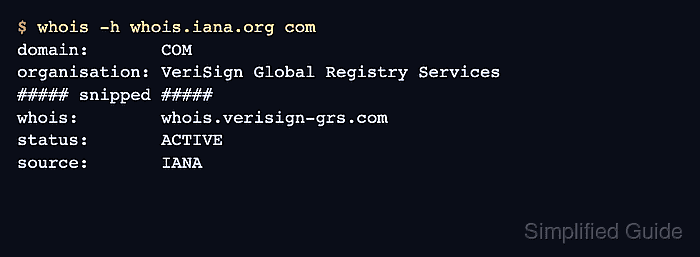
IANA is a safe first stop for unknown domains, IP addresses, and AS numbers because it publishes referral or registry context for those resources. For a top-level domain such as com, IANA names the TLD registry WHOIS server; for an AS number, it can name the regional internet registry that owns the allocation block.
A selected server is only useful when the response still matches the original object. Domain records should show the queried name or its registry-level record, and number-resource records should show the IP range, ASNumber, or registry handle that contains the query. If the answer is only a disclaimer, an unrelated record, or a parent allocation that does not contain the object, return to the referral step before saving evidence.
Related: How to check IANA WHOIS records
Related: How to find a TLD WHOIS server
Related: How to follow a WHOIS referral server
Steps to select a whois server:
- Identify the object being queried.
Use IANA for TLD, IP address, and AS number referrals; use a TLD registry server for domain registration records; use a regional internet registry for IP and ASN records; use a registrar WHOIS server only when a registry response names it.
- Ask IANA for the top-level domain when the registry server is unknown.
$ whois -h whois.iana.org com
% IANA WHOIS server
% for more information on IANA, visit http://www.iana.org
% This query returned 1 object

domain:       COM

organisation: VeriSign Global Registry Services
##### snipped #####
whois:        whois.verisign-grs.com

status:       ACTIVE
source:       IANA
Use the whois field from the IANA record as the selected TLD registry server.
- Query the selected TLD registry server for the domain.
$ whois -h whois.verisign-grs.com example.com
   Domain Name: EXAMPLE.COM
   Registry Domain ID: 2336799_DOMAIN_COM-VRSN
   Registrar WHOIS Server: whois.iana.org
   Registrar URL: http://res-dom.iana.org
   Updated Date: 2026-01-16T18:26:50Z
   Creation Date: 1995-08-14T04:00:00Z
   Registry Expiry Date: 2026-08-13T04:00:00Z
##### snipped #####
Related: How to query a domain with whois
- Follow the registrar WHOIS server only when the registry record names one.
Registrar WHOIS Server: whois.iana.org
The registry server and registrar server answer different layers of a domain lookup. Query the registrar server when the registry output points there and the registrar-level record is needed.
- Ask IANA for an AS number before choosing a regional internet registry server.
$ whois -h whois.iana.org AS15169
% IANA WHOIS server
% This query returned 1 object

refer:        whois.arin.net

as-block:     13312-15359
organisation: Assigned by ARIN

whois:        whois.arin.net
source:       IANA
Related: How to check IANA WHOIS records
- Query the referred regional internet registry server for the number resource.
$ whois -h whois.arin.net AS15169
ASNumber:       15169
ASName:         GOOGLE
ASHandle:       AS15169
RegDate:        2000-03-30
Updated:        2012-02-24
Ref:            https://rdap.arin.net/registry/autnum/15169

OrgName:        Google LLC
OrgId:          GOGL
##### snipped #####
- Avoid unrelated servers.
Do not query every known WHOIS server until one returns data. A mismatched server can return a parent block, a different object, a rate-limit notice, or a no-data response that hides the correct referral path.
- Record the server with the saved output.
Object: AS15169
Selected server: whois.arin.net
Selection source: IANA refer/whois field
Evidence file: AS15169.arin.whois
- Verify that the response matches the queried object.
Check for the domain name, TLD, ASNumber, NetRange, registry handle, or source field that belongs to the original query. The success state is a WHOIS response from the selected registry, registrar, or regional internet registry server that clearly covers the object being documented.