How to set a custom referer in wget
Some HTTP downloads only return the expected file when the request carries the Referer header for the page that normally links to it. Adding that header in wget keeps the transfer in one command while matching the referring page value the server expects to see.
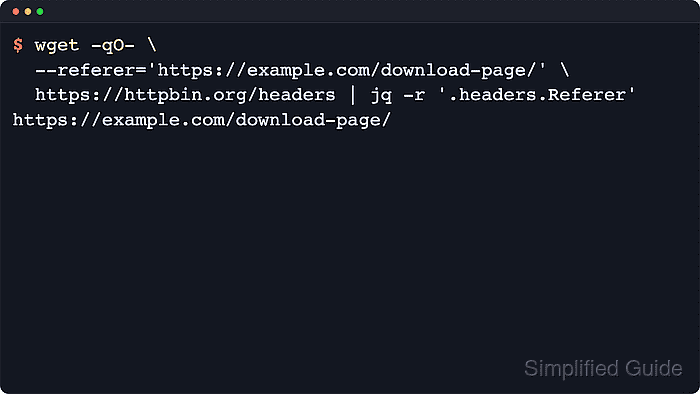
GNU wget sends the header with --referer=URL. Use a one-off command when only one transfer needs the value, and check the request against an echo endpoint first when the remote server gives the same error page for several different causes.
A referer value is only request metadata; it does not sign in, replay cookies, or grant access by itself. Keep the value specific to the download being tested, and confirm that the saved file is the intended payload rather than an HTML denial page.
Related: How to send custom headers with wget
Related: How to change the user agent in wget
Related: How to use custom cookies with wget
Tool: Wget Command Generator
Steps to set a custom referer in wget:
- Send the referer to a header echo endpoint and confirm the exact value that wget puts on the request.
$ wget --no-config -qO- --referer='https://app.example.com/downloads/' \
  https://httpbin.org/headers
{
  "headers": {
    "Accept": "*/*",
    "Accept-Encoding": "identity",
    "Host": "httpbin.org",
    "Referer": "https://app.example.com/downloads/",
    "User-Agent": "Wget/1.25.0",
    ##### snipped
  }
}
--no-config bypasses saved startup-file options so the echoed request shows the command-line referer without unrelated /$HOME/.wgetrc defaults.
- Repeat the same option on the real download command after the echoed header matches the page URL the server expects.
$ wget --no-config -O gpl-3.0.txt \
  --referer='https://app.example.com/downloads/' \
  https://www.gnu.org/licenses/gpl-3.0.txt
--2026-06-06 02:06:45--  https://www.gnu.org/licenses/gpl-3.0.txt
Resolving www.gnu.org (www.gnu.org)... 209.51.188.116, 2001:470:142:5::116
Connecting to www.gnu.org (www.gnu.org)|209.51.188.116|:443... connected.
HTTP request sent, awaiting response... 200 OK
Length: 35149 (34K) [text/plain]
Saving to: 'gpl-3.0.txt'

##### snipped

2026-06-06 02:06:46 (119 KB/s) - 'gpl-3.0.txt' saved [35149/35149]
Quote the referer when it contains query strings, ampersands, or other shell-sensitive characters.
- Check the saved file so a blocked HTML page is not mistaken for the intended payload.
$ file gpl-3.0.txt
gpl-3.0.txt: ASCII text
A checksum or signature check is a stronger final verification when the site publishes one for the download.
- Remove the sample file when the transfer was only a header test.
$ rm -f gpl-3.0.txt