How to create a maintenance page for your website
Planned outages should replace application errors with a small response that still works when the application is unavailable. A static maintenance document served directly by Nginx gives visitors a clear message while the affected URLs report a temporary server condition.
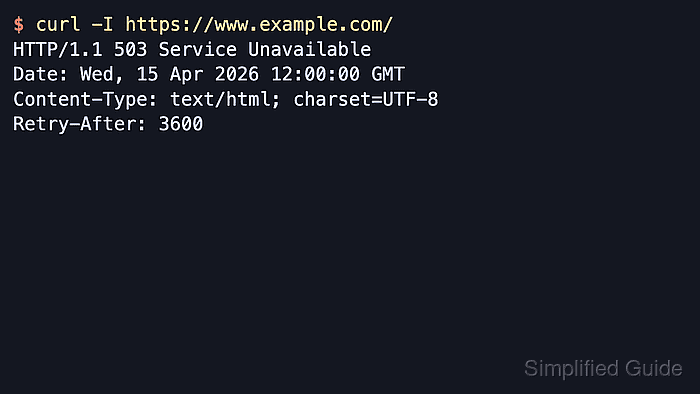
An Nginx marker-file check runs for each request, so creating the file turns maintenance mode on without another reload. A named error location serves the document with 503 Service Temporarily Unavailable and Retry-After, while the URI map keeps robots.txt on its existing route.
Use a site-wide 503 response only for a short outage window. Search crawlers may reduce or stop crawling when the response remains in place for more than roughly 1-2 days, and deleting the marker file restores the existing application routes immediately.
Related: How to plan a website redesign
Steps to create a maintenance page with Nginx:
- Identify the active Nginx server block for the site hostname.
$ sudo nginx -T
This command prints the complete loaded configuration and may expose inline credentials or private upstream addresses, so review its output locally.
- Create a root-owned directory for the standalone maintenance document.
$ sudo install --directory --owner=root --group=root --mode=0755 /var/www/maintenance
- Write maintenance.html in /var/www/maintenance.
$ sudoedit /var/www/maintenance/maintenance.html
<!doctype html>
<html lang="en">
<meta charset="utf-8">
<meta name="viewport" content="width=device-width, initial-scale=1">
<title>Scheduled maintenance</title>
<h1>Scheduled maintenance</h1>
<p>The website is temporarily unavailable.</p>
<p>Check https://status.example.com for updates.</p>
</html>
The document remains independent of application templates, external stylesheets, and scripts that may be unavailable during the outage.
- Create maintenance-map.conf in /etc/nginx/conf.d.
$ sudoedit /etc/nginx/conf.d/maintenance-map.conf
map $uri $maintenance_marker {
    default /etc/nginx/maintenance.enabled;
    /maintenance.html "";
    /robots.txt "";
}
Another exact URI can use an empty value when an essential status or administration route must remain reachable.
- Add the maintenance response directives inside the active Nginx server block.
$ sudoedit /etc/nginx/sites-available/example.com
error_page 503 @maintenance;

if (-f $maintenance_marker) {
    return 503;
}

location @maintenance {
    root /var/www/maintenance;
    rewrite ^ /maintenance.html break;
    add_header Retry-After 3600 always;
}

location = /maintenance.html {
    internal;
}
The example.com file in /etc/nginx/sites-available represents the active server block identified earlier. The internal location prevents the standalone file from becoming a normal public URL.
- Test the complete Nginx configuration for syntax and referenced-file errors.
$ sudo nginx -t
nginx: the configuration file /etc/nginx/nginx.conf syntax is ok
nginx: configuration file /etc/nginx/nginx.conf test is successful
Related: How to test Nginx configuration
- Reload Nginx to apply the validated maintenance configuration.
$ sudo nginx -s reload
On systemd-managed hosts, the packaged service manager provides the equivalent reload path.
Related: How to manage the Nginx service - Enable the site-wide 503 response only after the outage window starts.
$ sudo touch /etc/nginx/maintenance.enabled
This marker makes every non-exempt route return the maintenance response. Removing the marker restores the existing routes without another reload.
- Check robots.txt to confirm the maintenance rule leaves the crawl-policy file reachable.
$ curl --include --silent --show-error https://www.example.com/robots.txt
HTTP/1.1 200 OK
##### snipped #####
Content-Type: text/plain
Content-Length: 24
##### snipped #####

User-agent: *
Disallow:
- Request an affected public URL such as www.example.com to confirm the maintenance document, 503 status, and Retry-After header.
$ curl --include --silent --show-error https://www.example.com/
HTTP/1.1 503 Service Temporarily Unavailable
##### snipped #####
Content-Type: text/html
Content-Length: 301
##### snipped #####
Retry-After: 3600

<!doctype html>
<html lang="en">
##### snipped #####
<title>Scheduled maintenance</title>
<h1>Scheduled maintenance</h1>
<p>The website is temporarily unavailable.</p>
##### snipped #####
Tool: HTTP Header Checker