How to use canonical URLs for your website
A single page often acquires several public addresses through protocol changes, host aliases, tracking parameters, filters, print views, or old routes. Search engines then have to choose which address represents that content, and their choice may differ from the URL the site owner intended to keep in search results.
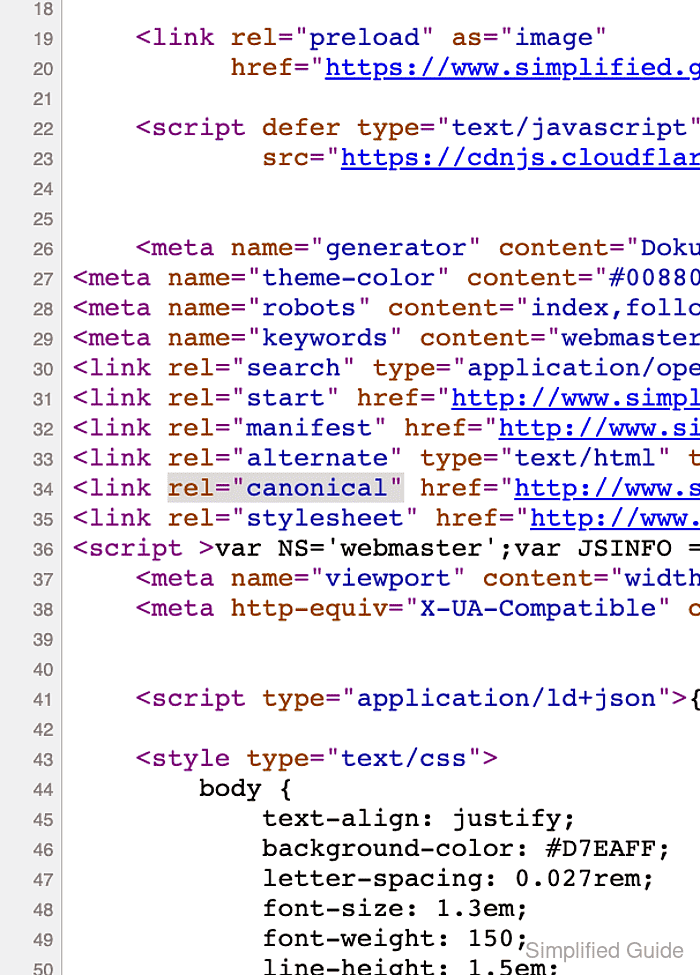
Use an HTML rel="canonical" link for HTML pages that must remain reachable, including the preferred page itself. Redirect a duplicate only when visitors and crawlers no longer need its separate address; non-HTML files such as PDFs can declare the canonical target through an HTTP Link response header instead.
The preferred URL should return 200 OK, remain crawlable and indexable, and closely match every duplicate that names it. Canonical declarations are signals rather than commands, so internal references, sitemap entries, redirects, and any hreflang mappings should reinforce the same choice.
Related: website-migration-run-search-cutover
Tool: Meta Tag Generator
Steps to use canonical URLs for your website:
- Choose one absolute HTTPS URL with the final protocol, host, path, letter case, and trailing-slash style to represent the duplicate group.
Preferred: https://www.example.com/guides/canonical-url
Duplicate: https://www.example.com/guides/canonical-url?view=print
Duplicate: https://example.com/guides/canonical-url
Any change to these URL components creates another address that can compete in the duplicate group.
- Add one self-referential canonical link with the absolute preferred URL to the preferred page's HTML head.
<link rel="canonical" href="https://www.example.com/guides/canonical-url">A CMS or SEO plugin may control this element through a canonical field or shared page template; a second element creates conflicting markup.
- Point each reachable HTML duplicate's canonical link to the preferred URL.
Reachable duplicates may include print views, filtered pages, or campaign variants; their representative page remains the preferred URL.
- Redirect each retired duplicate directly to the preferred URL with a server-side permanent redirect.
A broad host or directory rule can redirect unrelated pages, while an intermediate hop weakens the intended direct mapping.
- Update navigation links that reference the duplicate group to use the preferred URL.
Internal references to another duplicate conflict with the canonical declaration.
- Update breadcrumb links that reference the duplicate group to use the preferred URL.
- Set structured-data URL properties for the page to the preferred URL.
- Set every hreflang annotation for the page to the preferred URL for its language or region.
- List only the preferred URL for this page in the XML sitemap.
Google treats sitemap inclusion as a weaker canonical signal than redirects or rel="canonical", but conflicting sitemap entries still make the intended choice less clear.
- Fetch the preferred page with response headers to confirm its canonical element in a 200 OK response.
$ curl --include https://www.example.com/guides/canonical-url
HTTP/1.1 200 OK
##### snipped #####
<head>
  <meta charset="utf-8">
  <title>Canonical URL example</title>
  <link rel="canonical" href="https://www.example.com/guides/canonical-url">
</head>
##### snipped #####
The canonical target must not return an error, redirect elsewhere, block crawling, or carry a noindex directive.
- Fetch each reachable duplicate to confirm its canonical element names the same preferred URL.
$ curl --include 'https://www.example.com/guides/canonical-url?view=print'
HTTP/1.1 200 OK
##### snipped #####
<link rel="canonical" href="https://www.example.com/guides/canonical-url">
##### snipped #####
- Request each retired duplicate's response headers to confirm its direct redirect to the preferred URL.
$ curl --head https://example.com/guides/canonical-url
HTTP/1.1 301 Moved Permanently
##### snipped #####
Location: https://www.example.com/guides/canonical-url
##### snipped #####
After Google recrawls the pages, URL Inspection can compare the indexed User-declared canonical and Google-selected canonical values. A live test cannot predict Google's final canonical choice.