How to enable or disable syntax highlighting in Vim
Vim is a widely used text editor known for its efficiency and speed in handling text, code, and configuration files. A key feature is its ability to apply syntax highlighting, which colorizes different parts of the code based on language syntax. This feature enhances code readability and helps users quickly spot errors or important segments of code.
Vim automatically detects the file type to enable syntax highlighting. However, this automatic detection may not always work as intended. Users can manually control syntax highlighting for specific file types, making it essential to understand how to enable, disable, or adjust highlighting settings as needed.
Additionally, syntax settings can be made persistent by editing the .vimrc file. This ensures that highlighting behaves consistently across sessions. Knowing how to configure and troubleshoot syntax highlighting in Vim is useful for a smoother coding experience.
Steps to enable or disable syntax highlighting in Vim:
- Make sure you have the full version of Vim installed, which supports syntax highlighting.
- Press Esc to enter command mode.
- Type :syntax on to enable syntax highlighting.
:syntax on
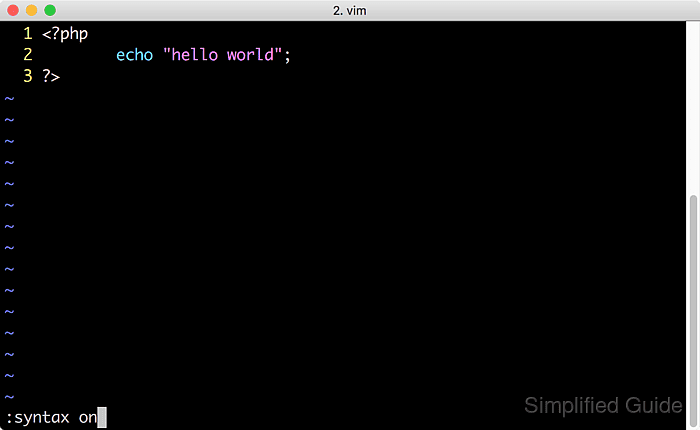
- Type :syntax off to disable syntax highlighting.
:syntax off
- If necessary, manually set the file type by typing :set syntax=filetype>.
:set syntax=php
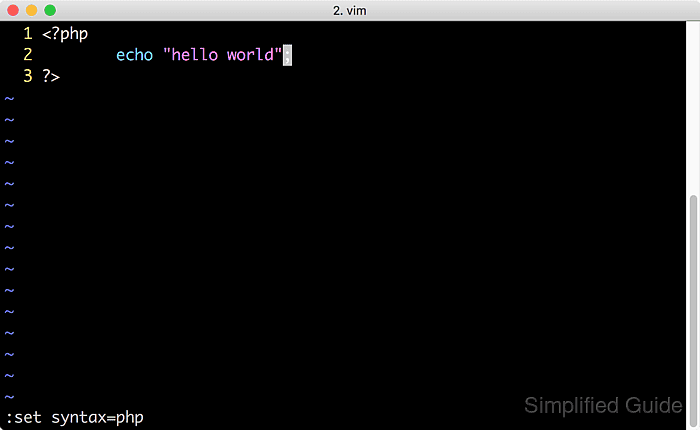
Replace php with the appropriate file type, such as html, python, etc.
- View the list of supported file types while also in the command mode if necessary.
:echo getcompletion(// 'filetype')
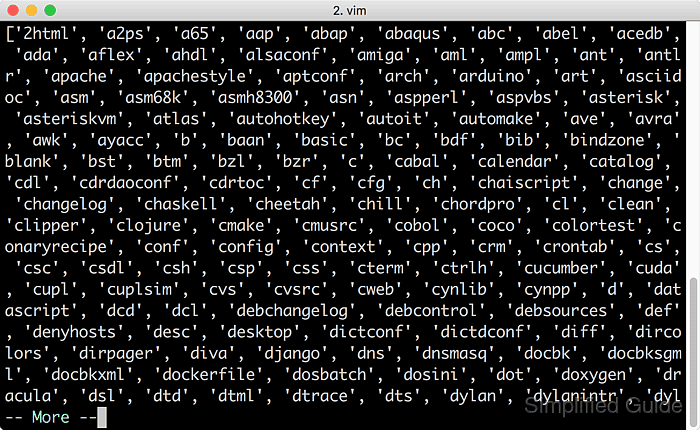
- Open the .vimrc configuration file to make the changes permanent.
vim ~/.vimrc
- Add a command to enable syntax highlighting automatically.
syntax on
- To ensure proper syntax detection for specific file types, manually set the file type using the autocmd option.
autocmd FileType html setlocal syntax=html
This ensures that files with the .html extension use HTML syntax highlighting.
- Save and close the .vimrc file.
:wq
- Reopen any file to verify that syntax highlighting is enabled by default.
- (Optional) To improve performance with large files, add a check to disable syntax highlighting for files over a certain size.
autocmd BufReadPost * if line2byte(line("$") + 1) > 100000 | syntax off | endifThis disables syntax highlighting for files larger than 100,000 bytes. Adjust the size limit as necessary.