How to configure autostart programs in Ubuntu (GNOME)
GNOME provides a built-in mechanism to launch programs or scripts automatically upon user login. This feature, available in many Linux distributions like Ubuntu, CentOS, and Red Hat, eliminates the need for external tools and simplifies repetitive tasks. With the right configuration, any application or script can run at startup to streamline system usage.
A desktop autostart file in the user’s ~/.config/autostart directory controls which commands execute during login. This file includes details like the command path, required arguments, and descriptive information. The approach is straightforward and keeps startup tasks organized without complex service management.
For advanced requirements, alternatives such as systemd or crontab can launch tasks independently of the graphical environment. However, the GNOME autostart functionality is sufficient for most desktop users looking to automatically run commands during login, ensuring a simple yet effective setup.
Steps to configure autostart programs in Ubuntu (GNOME):
- Open GNOME Shell Activities.
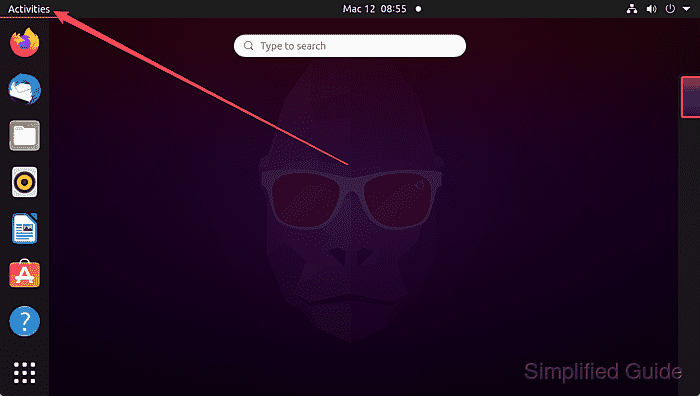
- Search for and open Startup Applications.
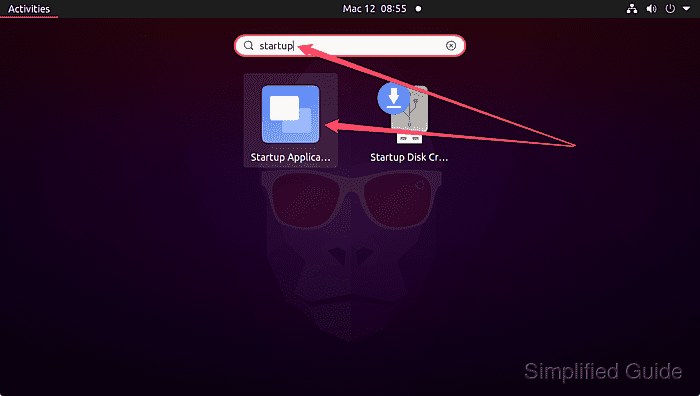
- Click on the checkbox to uncheck or click on the Remove button to disable already enabled application from starting during GNOME startup.
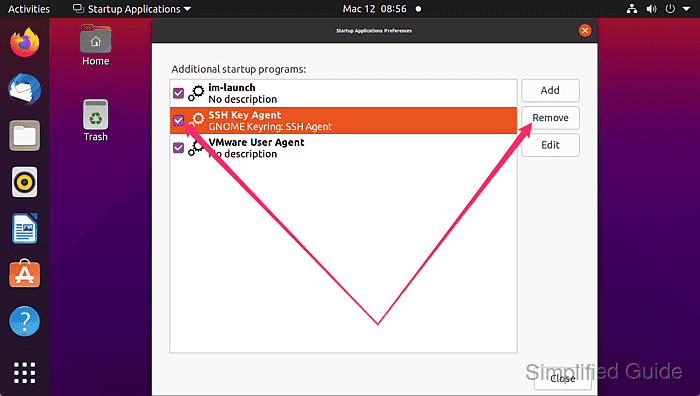
- Select the Add button to configure a new startup program.

- Enter a name and description for the task.
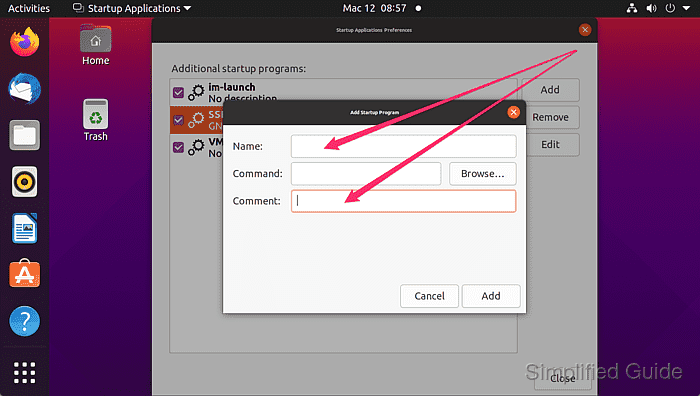
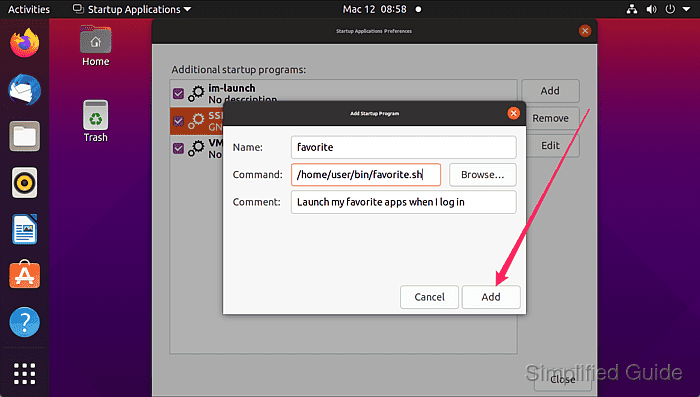
- Specify the path to the application or script along with necessary arguments.
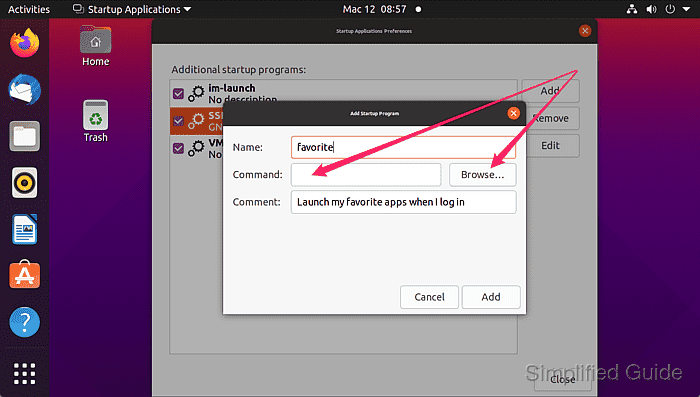
Ensure the user has execute permissions for the specified application or script.
Related: How to change file and folder permissions in Linux - Click the Add button to finish adding the startup entry to GNOME.
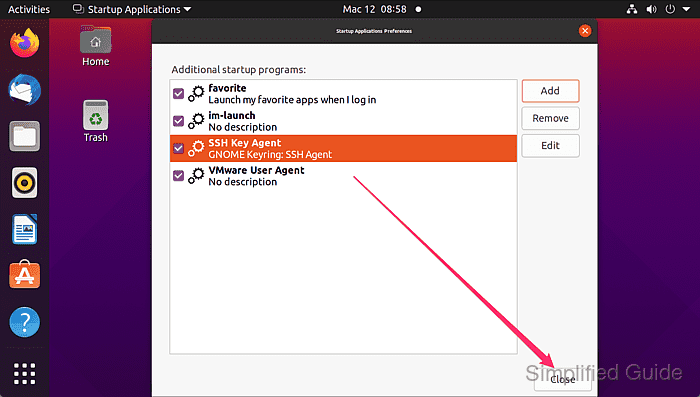
- Click on the Close button if you're not adding other startup entries.
- Check the generated autostart file to confirm.
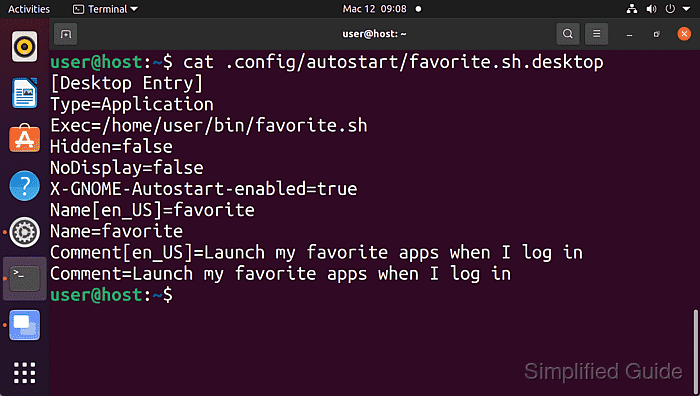
The autostart file will be saved in the user's ~/.config/autostart directory with a .desktop extension.