How to list deployed applications in Tomcat Manager
When a deployment handoff asks whether a Tomcat application is present, Tomcat Manager can answer without reloading, stopping, or changing the context. The Manager text list command returns one row per deployed web application on the selected virtual host, including the context path, current state, active session count, and display name.
The text interface fits repeatable checks because it returns plain text that starts with OK or FAIL. A user with the manager-script role can call /manager/text/list with HTTP Basic authentication, while the browser HTML interface uses manager-gui and should stay on a separate account.
The check should run from the Tomcat host or from an admin network path allowed by the Manager access valve. A running row proves that Tomcat started the context; request the application URL afterward when the handoff also needs proof that the application itself answers.
Steps to list deployed applications in Tomcat Manager:
- Request the Manager text list endpoint with a restricted script account.
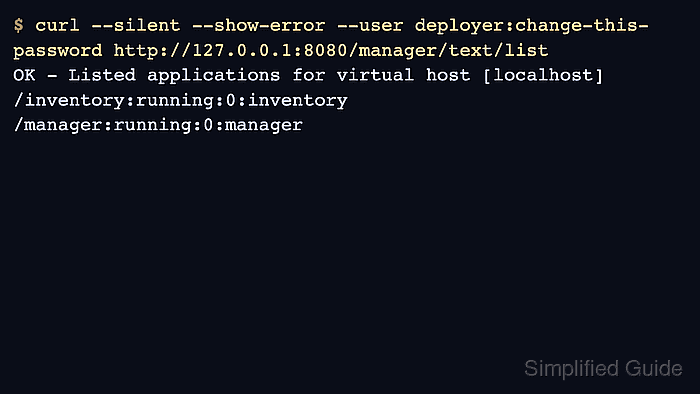
$ curl --silent --show-error --user deployer:change-this-password http://127.0.0.1:8080/manager/text/list
OK - Listed applications for virtual host [localhost]
/inventory:running:0:inventory
/manager:running:0:manager
The account needs the manager-script role. Replace deployer:change-this-password with a restricted Manager user and replace 127.0.0.1:8080 with the connector address for the target instance. Related: How to create a Tomcat Manager user
- Read the first line before trusting the rows.
OK - Listed applications for virtual host [localhost]
A response that starts with FAIL, an HTTP 401, or an HTTP 403 means the list was not accepted. Check the Manager user role, URL, and Manager access valve before using the output for deployment decisions.
- Interpret each application row from left to right.
/{context-path}:{state}:{active-sessions}:{display-name}For the ROOT web application, the context path appears as /. The state is commonly running or stopped; the session number is a current count, not a traffic total.
- Confirm that the expected context appears with the expected state.
/inventory:running:0:inventory
A missing row means that the application is not deployed for that virtual host. A stopped row means the context exists but is not serving requests through Tomcat. Related: How to troubleshoot Tomcat WAR deployment failures
- Request the application URL when the check must prove more than Manager state.
$ curl --silent --show-error http://127.0.0.1:8080/inventory/
Inventory application is running
The Manager list output proves Tomcat knows about the context. The application URL proves the selected context responds to a real request.
- Keep the list output with the deployment or troubleshooting record.
Context: /inventory
State: running
Active sessions: 0
Display name: inventory
Use the context path from this output when reloading, stopping, or undeploying the application with Manager. Related: How to reload a Tomcat application with Manager
Related: How to undeploy a WAR file with Tomcat Manager