Reloading one Tomcat web application through Tomcat Manager refreshes that context without restarting the whole servlet container. Use it after updating classes, libraries, or configuration inside an already deployed application when other deployed contexts should keep running.
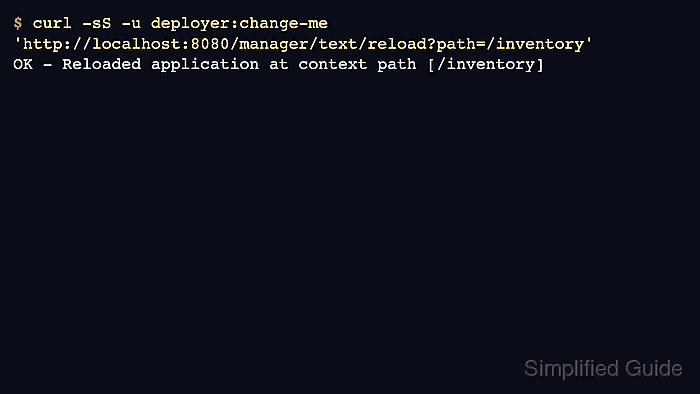
The Manager text interface is the scriptable endpoint for this job. A user with manager-script can list deployed contexts, request a reload for one path, and receive an OK or FAIL response that can be used in a deployment script or runbook.
Reload works against an existing context path such as /inventory; it is not a replacement for redeploying an updated WAR when Tomcat reports that direct WAR reload is unsupported. Keep Manager access restricted, avoid sharing the same account with the HTML Manager role, and check the application URL after the reload so the operational proof comes from the app itself.
Steps to reload a Tomcat application with Manager:
- Confirm that the Manager account can use the text interface.
$ curl --silent --show-error --user deployer:change-this-password http://localhost:8080/manager/text/list
OK - Listed applications for virtual host [localhost]
/inventory:running:0:inventory
/manager:running:0:manager
The account needs the manager-script role. Use the server's Manager URL and replace deployer:change-this-password with a restricted account for automation. Related: How to create a Tomcat Manager user
- Identify the exact context path to reload from the list output.
Context path: /inventory
Current state: running
The path parameter must start with /. Use / for the ROOT web application.
- Reload only that application context through the Manager text endpoint.
$ curl --silent --show-error --user deployer:change-this-password 'http://localhost:8080/manager/text/reload?path=/inventory'
OK - Reloaded application at context path [/inventory]
If the response starts with FAIL, do not assume the application refreshed. Check the context path, Manager role, and Tomcat logs; direct WAR deployments may need redeploy with the Manager deploy endpoint instead of reload.
- List applications again and confirm the context is still running.
$ curl --silent --show-error --user deployer:change-this-password http://localhost:8080/manager/text/list
OK - Listed applications for virtual host [localhost]
/inventory:running:0:inventory
/manager:running:0:manager
- Request the application URL to prove it responds after the reload.
$ curl --silent --show-error http://localhost:8080/inventory/
Inventory application is running
Use the health check, login page, or version endpoint that best represents the application. Manager's OK response proves Tomcat accepted the reload request; the application response proves the context is serving traffic again.
- Check the Tomcat log when the reload output succeeds but the application response is wrong.
10-Jun-2026 20:23:22.642 INFO [http-nio-8080-exec-8] org.apache.catalina.core.StandardContext.reload Reloading Context with name [/inventory] has started
10-Jun-2026 20:23:22.660 INFO [http-nio-8080-exec-8] org.apache.catalina.core.StandardContext.reload Reloading Context with name [/inventory] is completed
On package installs this may be visible through journalctl or files under /var/log/tomcat*; on archive installs it is usually under $CATALINA_BASE/logs.

Mohd Shakir Zakaria is a cloud architect with deep roots in software development and open-source advocacy. Certified in AWS, Red Hat, VMware, ITIL, and Linux, he specializes in designing and managing robust cloud and on-premises infrastructures.


