How to change a Tomcat application context path
A Tomcat application can answer from the wrong URL when the WAR file name, exploded directory name, or context descriptor does not match the path users expect. Changing the context path at the deployment layer gives the application one intended URL, such as /portal/api, without masking the mismatch with reverse-proxy path rewrites.
Tomcat selects a web application by matching the request URI against deployed context paths. On hosts that deploy from the app base at startup or by auto-deploy, Tomcat derives the context path from the WAR file, exploded directory, or context XML base name, so portal#api.war deploys at /portal/api and ROOT.war deploys at the host root.
The filesystem method below fits package-managed Linux installations with a writable app base such as /var/lib/tomcat10/webapps. Keep the old deployed artifact until the new URL responds, then remove the old WAR and exploded directory so both paths do not serve the same application.
Steps to change a Tomcat application context path:
- Choose the target context path and deployment base name.
Use portal.war for /portal, portal#api.war for /portal/api, and ROOT.war for the host root. Tomcat uses ## for parallel deployment versions, so use a single # for nested URL path segments. If the WAR must stay outside the app base, name the context descriptor after the target path, such as portal#api.xml, and keep the WAR outside webapps.
- Confirm the active Tomcat app base.
$ ls /var/lib/tomcat10/webapps
ROOT
Debian and Ubuntu packages commonly use /var/lib/tomcat10/webapps. Upstream archive installations normally use the webapps directory under CATALINA_BASE.
- Copy the release WAR under the file name that matches the target context path.
$ sudo install -m 0644 /srv/releases/customer-portal.war '/var/lib/tomcat10/webapps/portal#api.war'
Do not rely on a different path inside /META-INF/context.xml when the WAR is deployed from the app base. Tomcat derives the path from the artifact name for app-base deployments.
- Restart Tomcat to deploy the renamed WAR.
$ sudo systemctl restart tomcat10
Restarting Tomcat interrupts every application in the instance. Use a maintenance window or Tomcat Manager deployment when a service-wide restart is not acceptable.
- Request the target context path.
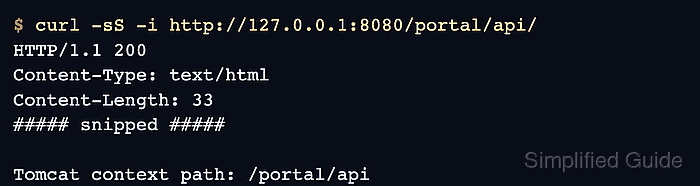
$ curl -sS -i http://127.0.0.1:8080/portal/api/
HTTP/1.1 200
Content-Type: text/html
Content-Length: 33
##### snipped #####

Tomcat context path: /portal/api
A response from the new URL proves Tomcat deployed the application at the target context path.
- Remove the old WAR and exploded context after the target path responds.
$ sudo rm -rf /var/lib/tomcat10/webapps/customer-portal.war /var/lib/tomcat10/webapps/customer-portal
This deletes the old deployed copy. Keep the source release artifact or a backup before removing the old context.
- Restart Tomcat after removing the old context.
$ sudo systemctl restart tomcat10
- Verify the old context path no longer serves the application.
$ curl -sS -i http://127.0.0.1:8080/customer-portal/ HTTP/1.1 404 Content-Type: text/html;charset=utf-8 ##### snipped ##### <p><b>Message</b> The requested resource [/customer-portal/] is not available</p> ##### snipped #####
A 200 response at /portal/api/ and a 404 response at /customer-portal/ show the application moved instead of being left available from both paths.