How to customize a tmux key binding
Custom tmux key bindings turn a repeated tmux command into a shortcut that works from an attached session. Test a new binding in the prefix table first, because replacing an existing shortcut can hide a command you still use or send the wrong action to every client attached to that server.
tmux stores bindings in named key tables. The prefix table runs after the tmux prefix key, which is Ctrl-b in the default configuration, while the root table catches keys before the pane application receives them. Most personal shortcuts belong in the prefix table unless the key must work without pressing the prefix.
The example below binds R to reload ~/.tmux.conf and show a short status-line message. Listing the key after the reload confirms the running server accepted the binding; pressing the shortcut in an attached client confirms the chosen key triggers the intended tmux command.
Related: How to use the tmux command prompt
Steps to customize a tmux key binding:
- Open the tmux configuration file used by the running server.
$ vi ~/.tmux.conf
Most personal setups use ~/.tmux.conf. If the server was started from an XDG config path, edit the matching tmux.conf file under $XDG_CONFIG_HOME/tmux or ~/.config/tmux instead.
- Add a prefix-table binding for an unused key.
bind-key R source-file ~/.tmux.conf \; display-message "tmux config reloaded"
Without -T, bind-key writes to the prefix table, so the shortcut runs after the tmux prefix. The escaped semicolon keeps display-message in the same binding sequence. With the default prefix, the new shortcut is Ctrl-b R.
Pick a key that does not replace a tmux shortcut you still need. Uppercase keys are distinct from lowercase keys, so R and r can be different bindings.
- Reload the config into the running tmux server.
$ tmux source-file ~/.tmux.conf
No output means tmux parsed the file and applied the commands to the running server.
Related: How to reload the tmux config
- List the binding from the prefix table.
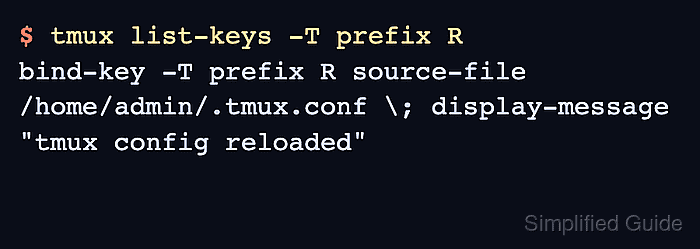
$ tmux list-keys -T prefix R
bind-key -T prefix R source-file /home/admin/.tmux.conf \; display-message "tmux config reloaded"
tmux may print the expanded path to the config file instead of ~/.tmux.conf. The important parts are the prefix table, the R key, and the command sequence after it.
- Press the tmux prefix and the new key in an attached client.
Ctrl-b R
If your prefix has changed, press that key instead of Ctrl-b. The status line should briefly show tmux config reloaded after the reload binding runs.
- Use the root table only when the key must work without the prefix.
bind-key -n M-r source-file ~/.tmux.conf \; display-message "tmux config reloaded"
-n is shorthand for -T root, so Alt-r runs the command without a preceding prefix key.
A root binding captures the key before the pane program sees it. Avoid plain letters and common editor or shell shortcuts unless you want tmux to intercept them.