How to enable TensorFlow GPU memory growth
TensorFlow normally reserves most visible GPU memory when a process first initializes the runtime. Enabling GPU memory growth changes that allocator behavior so notebooks, local experiments, and neighboring training jobs can share a card until the process actually needs more memory.
The setting lives in TensorFlow's process-local configuration API, not in the NVIDIA driver or a persistent project file. Set it immediately after importing TensorFlow and before creating tensors, loading models, listing logical GPU devices, or running any operation that initializes the GPU runtime.
Use this on a TensorFlow environment where tf.config.list_physical_devices('GPU') already returns at least one device. If TensorFlow cannot see a GPU, fix the driver, CUDA runtime, or package environment first because memory growth cannot make missing hardware visible.
Steps to enable TensorFlow GPU memory growth:
- Activate the Python environment that runs the training code.
$ source ~/venvs/tf-gpu/bin/activate
(tf-gpu) $
Use conda activate <name> instead when the project uses Conda.
Related: How to create a virtual environment for TensorFlow
Related: How to create a Conda environment for TensorFlow - Confirm that TensorFlow can see a physical GPU in a fresh process.
(tf-gpu) $ python -c "import tensorflow as tf; print(tf.config.list_physical_devices('GPU'))"
[PhysicalDevice(name='/physical_device:GPU:0', device_type='GPU')]
If the output is [], repair GPU detection before adding memory-growth code.
Related: How to enable GPU acceleration in TensorFlow
Related: How to fix TensorFlow not detecting a GPU - Open the Python entry point that imports TensorFlow before training starts.
(tf-gpu) $ vi train.py
- Add the memory-growth block immediately after the TensorFlow import.
- train.py
import tensorflow as tf

gpus = tf.config.list_physical_devices("GPU")
if not gpus:
    raise SystemExit("No TensorFlow GPU devices found")

for gpu in gpus:
    tf.config.experimental.set_memory_growth(gpu, True)

for gpu in gpus:
    enabled = tf.config.experimental.get_memory_growth(gpu)
    print(f"{gpu.name} memory_growth={enabled}")

logical_gpus = tf.config.list_logical_devices("GPU")
print(f"{len(gpus)} Physical GPUs, {len(logical_gpus)} Logical GPUs")

# Continue with model, dataset, and training code here.
Memory growth must use the same setting across the visible GPUs in the process. In notebooks, restart the kernel and run this block before any cell creates tensors or loads a model.
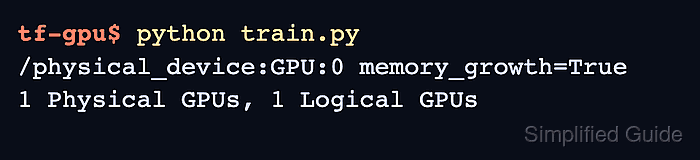
- Run the entry point and confirm that each physical GPU reports memory growth enabled.
(tf-gpu) $ python train.py
/physical_device:GPU:0 memory_growth=True
1 Physical GPUs, 1 Logical GPUs
A RuntimeError at this point usually means another TensorFlow operation initialized the GPU runtime first. Move the block earlier in the process, or restart the notebook kernel before rerunning it.