How to create a dataset from tensors in TensorFlow
Small training sets and test fixtures often begin as Python values that already fit in memory. A tf.data.Dataset exposes those values through the same iterable interface used by larger TensorFlow input pipelines while retaining the relationship between each feature row and its label.
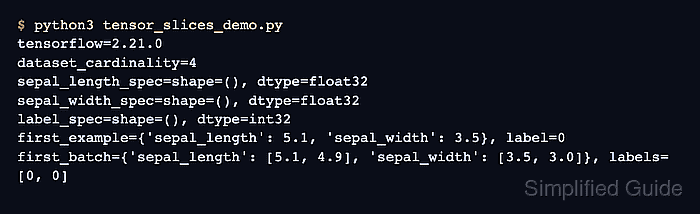
TensorFlow's tf.data.Dataset.from_tensor_slices() treats axis 0 as the dataset dimension. Passing a tuple containing a feature dictionary and a label tensor produces one element per row, and every element keeps the dictionary keys alongside the corresponding label.
Every input component must have the same leading dimension or dataset construction fails. This method suits compact in-memory data; large arrays can be copied into graph constants, so file-backed sources are a better boundary when the data should stream instead.
Steps to create a dataset from tensors in TensorFlow:
- Create the input section of tensor_slices_demo.py with four feature rows and matching labels.
- tensor_slices_demo.py
import tensorflow as tf

features = {
    "sepal_length": tf.constant([5.1, 4.9, 6.7, 5.6], dtype=tf.float32),
    "sepal_width": tf.constant([3.5, 3.0, 3.1, 2.8], dtype=tf.float32),
}
labels = tf.constant([0, 0, 2, 1], dtype=tf.int32)
- Add the dataset constructor after the label tensor.
dataset = tf.data.Dataset.from_tensor_slices((features, labels))
A different row count in any feature tensor or the label tensor makes from_tensor_slices() fail because every axis-0 size must match.
- Append the structure and row inspection block after the dataset constructor.
feature_spec, label_spec = dataset.element_spec
print(f"feature_keys={list(feature_spec)}")
print(f"label_dtype={label_spec.dtype.name}")
print(f"cardinality={dataset.cardinality().numpy()}")
for row, (feature, label) in enumerate(dataset.as_numpy_iterator()):
    print(
        f"row={row} "
        f"sepal_length={feature['sepal_length']:.1f} "
        f"sepal_width={feature['sepal_width']:.1f} "
        f"label={label}"
    )
- Run the completed script to confirm the dictionary rows remain aligned with their labels.
$ python3 tensor_slices_demo.py
feature_keys=['sepal_length', 'sepal_width']
label_dtype=int32
cardinality=4
row=0 sepal_length=5.1 sepal_width=3.5 label=0
row=1 sepal_length=4.9 sepal_width=3.0 label=0
row=2 sepal_length=6.7 sepal_width=3.1 label=2
row=3 sepal_length=5.6 sepal_width=2.8 label=1