How to troubleshoot dropped packets in tcpdump
Tcpdump's finish counters show whether the capture process kept up with traffic during a run. When packets dropped by kernel is nonzero, the operating-system capture mechanism discarded packets before tcpdump processed them, so the saved PCAP or terminal output is incomplete for that capture window.
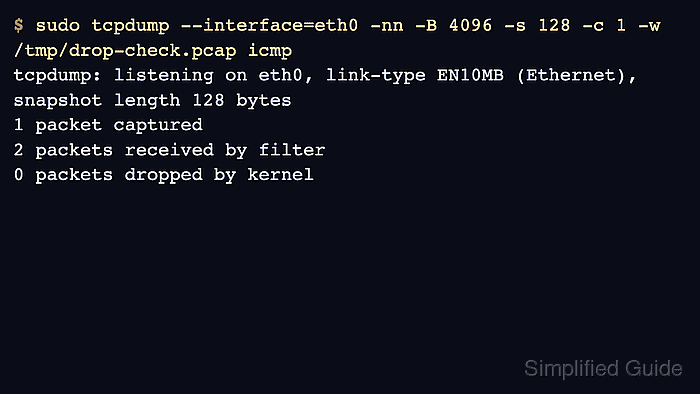
Dropped capture packets are different from application packet loss. The service path can be healthy while tcpdump loses evidence because the filter matches too much traffic, full-packet snapshots copy more bytes than needed, the savefile target is slow, or the operating-system capture buffer is too small for a burst.
Treat the first dropped run as a capture-load problem. Narrow the interface, host, port, packet count, snapshot length, and savefile location before raising the buffer with -B; a larger buffer helps only when tcpdump is already focused enough that short bursts are the remaining problem.
Steps to troubleshoot dropped packets in tcpdump:
- Reproduce the capture and read the tcpdump summary after stopping it.
$ sudo tcpdump --interface=eth0 -nn -w /tmp/busy.pcap 'tcp port 443'
tcpdump: listening on eth0, link-type EN10MB (Ethernet), snapshot length 262144 bytes
^C
482104 packets captured
579022 packets received by filter
38491 packets dropped by kernel
Treat a nonzero kernel-drop count as incomplete evidence. Retake the capture after reducing capture load, moving the savefile to a faster local path, or increasing the capture buffer.
The packets received by filter counter depends on the operating system and capture driver. Use it as capture-context data, not as an application packet-loss percentage.
- Repeat the capture with the narrowest filter that still matches the failing flow.
$ sudo tcpdump --interface=eth0 -nn -c 2000 -w /var/tmp/web-focused.pcap 'host 203.0.113.20 and tcp port 443'
tcpdump: listening on eth0, link-type EN10MB (Ethernet), snapshot length 262144 bytes
2000 packets captured
2000 packets received by filter
0 packets dropped by kernel
When the focused run has zero drops, keep that filter for the evidence window instead of returning to an all-port or all-host capture.
- Reduce saved bytes per packet when headers are enough for the investigation.
$ sudo tcpdump --interface=eth0 -nn -s 128 -c 2000 -w /var/tmp/web-headers.pcap 'host 203.0.113.20 and tcp port 443'
tcpdump: listening on eth0, link-type EN10MB (Ethernet), snapshot length 128 bytes
2000 packets captured
2000 packets received by filter
0 packets dropped by kernel
A shorter snapshot length can remove payload bytes needed for stream reassembly, full protocol decoding, or later forensic review. Keep the smallest snap length that still preserves the fields required by the investigation.
- Increase the capture buffer when the focused capture still reports kernel drops.
$ sudo tcpdump --interface=eth0 -nn -B 8192 -s 128 -c 2000 -w /var/tmp/web-buffered.pcap 'host 203.0.113.20 and tcp port 443'
tcpdump: listening on eth0, link-type EN10MB (Ethernet), snapshot length 128 bytes
2000 packets captured
2000 packets received by filter
0 packets dropped by kernel
The -B value is in KiB on current tcpdump builds. Raising it uses more operating-system capture memory, so fix filter width, snap length, and write pressure first.
- Verify the final PCAP before using it as evidence.
$ tcpdump -nn -r /var/tmp/web-buffered.pcap -c 3
reading from file /var/tmp/web-buffered.pcap, link-type EN10MB (Ethernet), snapshot length 128
10:18:42.104119 IP 192.0.2.40.53104 > 203.0.113.20.443: Flags [S], length 0
10:18:42.120281 IP 203.0.113.20.443 > 192.0.2.40.53104: Flags [S.], length 0
10:18:42.121009 IP 192.0.2.40.53104 > 203.0.113.20.443: Flags [.], length 0
Use the PCAP only with the summary from the capture that created it. Reading the file later proves that packets were written, but it cannot recover packets already dropped by the kernel during capture.