How to disable name resolution in tcpdump
Resolved hostnames and service names can hide the address and port values needed for firewall rules, logs, and routing checks. Numeric tcpdump output removes that lookup layer so the packet lines can be compared directly with the systems that recorded the incident.
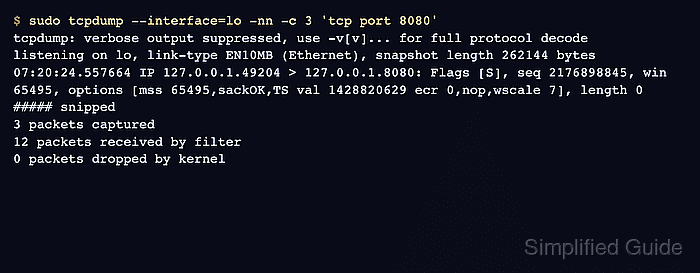
Use -nn as the troubleshooting default when hostnames and service labels would get in the way. Current tcpdump builds document -n as disabling address conversion, including port-number conversion, while -nn keeps the operator intent clear across older habits and platform-specific examples.
Name resolution changes printed output only. It does not change which packets are captured, and it does not stop tcpdump from resolving a hostname used inside the filter expression before capture starts.
Steps to disable name resolution in tcpdump:
- Run a short capture without numeric flags only when resolved names are useful.
$ sudo tcpdump --interface=lo -c 3 'tcp port 8080'
tcpdump: verbose output suppressed, use -v[v]... for full protocol decode
listening on lo, link-type EN10MB (Ethernet), snapshot length 262144 bytes
07:20:23.212656 IP localhost.49190 > localhost.8080: Flags [S], seq 3354881352, win 65495, options [mss 65495,sackOK,TS val 1428819284 ecr 0,nop,wscale 7], length 0
##### snipped
3 packets captured
12 packets received by filter
0 packets dropped by kernel
- Disable name resolution for the same capture and confirm that numeric values are visible.
$ sudo tcpdump --interface=lo -nn -c 3 'tcp port 8080'
tcpdump: verbose output suppressed, use -v[v]... for full protocol decode
listening on lo, link-type EN10MB (Ethernet), snapshot length 262144 bytes
07:20:24.557664 IP 127.0.0.1.49204 > 127.0.0.1.8080: Flags [S], seq 2176898845, win 65495, options [mss 65495,sackOK,TS val 1428820629 ecr 0,nop,wscale 7], length 0
07:20:24.557672 IP 127.0.0.1.8080 > 127.0.0.1.49204: Flags [S.], seq 2938018749, ack 2176898846, win 65483, options [mss 65495,sackOK,TS val 1428820629 ecr 1428820629,nop,wscale 7], length 0
07:20:24.557678 IP 127.0.0.1.49204 > 127.0.0.1.8080: Flags [.], ack 1, win 512, options [nop,nop,TS val 1428820629 ecr 1428820629], length 0
3 packets captured
12 packets received by filter
0 packets dropped by kernel
The visible change is from localhost.8080 to numeric 127.0.0.1.8080 values.
- Keep the filter expression numeric when resolver behavior is part of the incident.
$ sudo tcpdump --interface=lo -nn -c 3 'host 127.0.0.1 and tcp port 8080'
tcpdump: verbose output suppressed, use -v[v]... for full protocol decode
listening on lo, link-type EN10MB (Ethernet), snapshot length 262144 bytes
- Use numeric output for peer captures that must match logs or policy rules.
$ sudo tcpdump --interface=eth0 -nn -c 5 'host 203.0.113.20 and tcp port 443'
tcpdump: listening on eth0, link-type EN10MB (Ethernet), snapshot length 262144 bytes
If a hostname is used in the filter, tcpdump may resolve it before the capture begins. Use IP addresses when DNS behavior itself is under review.