DNS packet captures show whether a host sends a lookup to the expected resolver and whether an answer returns on the same transport. That packet-level proof matters when resolver logs, application errors, and command-line lookup results do not agree about where name resolution is failing.
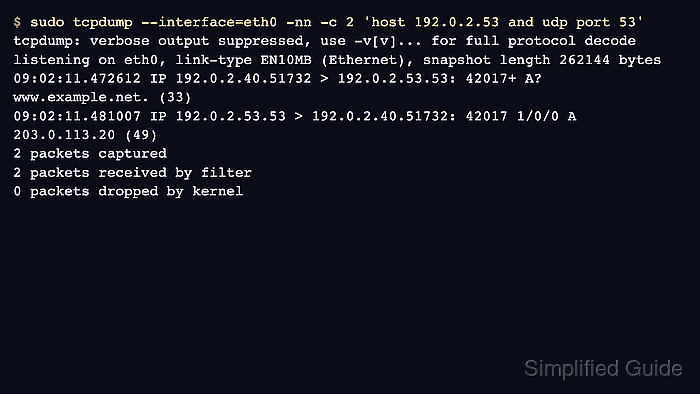
Classic DNS normally uses UDP port 53, while TCP port 53 appears for truncation retries, zone transfers, or resolvers configured to prefer TCP. Tcpdump can print the query name, record type, transaction ID, answer count, response code, and replying resolver address without writing a pcap when a short live capture is enough.
Encrypted DNS changes the evidence boundary. DNS over HTTPS and DNS over TLS do not appear as readable port 53 queries, so capture the HTTPS or TLS connection only to prove the transport path and use resolver or application logs for the actual query name.
Related: How to check DNS resolution in Linux
Related: How to disable name resolution in tcpdump
Tool: DNS Record Lookup
Steps to capture DNS queries with tcpdump:
- Identify the resolver address and interface that should carry the query.
$ resolvectl dns
Global:
Link 2 (eth0): 192.0.2.53
If resolvectl is not available, inspect /etc/resolv.conf or the network manager view used by the host. The resolver address is needed so the capture does not collect unrelated DNS traffic.
Related: How to check DNS resolution in Linux
- Start a narrow UDP capture to or from that resolver.
$ sudo tcpdump --interface=eth0 -nn -c 2 'host 192.0.2.53 and udp port 53'
tcpdump: verbose output suppressed, use -v[v]... for full protocol decode
listening on eth0, link-type EN10MB (Ethernet), snapshot length 262144 bytes
The -c 2 limit lets tcpdump exit after one query and one response. Remove it only when the lookup may retry or when several applications could send the same name.
- Run a controlled lookup from another terminal while tcpdump is listening.
$ dig @192.0.2.53 www.example.net A
;; ->>HEADER<<- opcode: QUERY, status: NOERROR, id: 42017
##### snipped
;; QUESTION SECTION:
;www.example.net.        IN  A
;; ANSWER SECTION:
www.example.net. 300     IN  A   203.0.113.20
- Return to the tcpdump terminal and confirm that the query and response share the same transaction ID.
09:02:11.472612 IP 192.0.2.40.51732 > 192.0.2.53.53: 42017+ A? www.example.net. (33)
09:02:11.481007 IP 192.0.2.53.53 > 192.0.2.40.51732: 42017 1/0/0 A 203.0.113.20 (49)
2 packets captured
2 packets received by filter
0 packets dropped by kernel
The shared transaction ID, here 42017, ties the response to the query. A query without a response points toward resolver reachability, firewall policy, routing, or resolver behavior rather than a client-side lookup command problem.
- Repeat the capture with TCP port 53 only when the lookup retries over TCP or the DNS message is too large for UDP.
$ sudo tcpdump --interface=eth0 -nn -c 8 'host 192.0.2.53 and tcp port 53'
09:04:18.016221 IP 192.0.2.40.51120 > 192.0.2.53.53: Flags [S], seq 3104492601, win 64240, length 0
##### snipped
09:04:18.018174 IP 192.0.2.40.51120 > 192.0.2.53.53: Flags [P.], length 54 13560+ A? www.example.net. (33)
09:04:18.023881 IP 192.0.2.53.53 > 192.0.2.40.51120: Flags [P.], length 51 13560 1/0/0 A 203.0.113.20 (49)
A TCP capture includes the handshake before the DNS payload. Use the payload lines and the transaction ID, not the handshake alone, when the answer body matters.

Mohd Shakir Zakaria is a cloud architect with deep roots in software development and open-source advocacy. Certified in AWS, Red Hat, VMware, ITIL, and Linux, he specializes in designing and managing robust cloud and on-premises infrastructures.


