How to capture IPv6 traffic with tcpdump
Dual-stack troubleshooting gets misleading when IPv4 succeeds but the failing request actually uses IPv6. An IPv6-only tcpdump capture proves which address family is on the wire and shows ICMPv6 control traffic that IPv4 filters will never match.
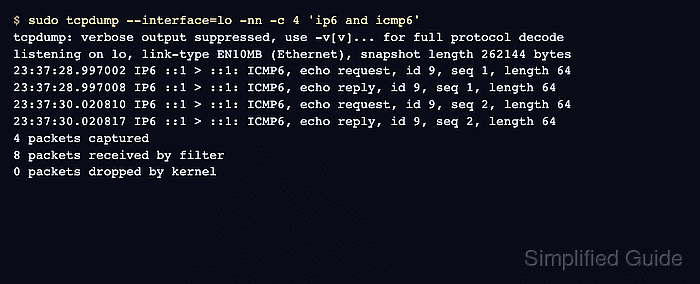
Use the ip6 filter for IPv6 packets and icmp6 for IPv6 echo, neighbor discovery, router advertisements, and related control traffic. Link-local addresses also need the right interface because their address text is scoped to one local link.
IPv6 extension headers can affect port-based filters. When a port filter misses traffic that should be visible, start with ip6 and narrow the expression only after confirming the packet shape.
Related: How to capture ICMP packets with tcpdump
Related: How to show IP addresses in Linux
Tool: IPv6 Compress and Expand
Steps to capture IPv6 traffic with tcpdump:
- Confirm that the interface has IPv6 traffic to observe.
$ ip -6 address show dev lo 1: lo: <LOOPBACK,UP,LOWER_UP> mtu 65536 qdisc noqueue state UNKNOWN group default qlen 1000 inet6 ::1/128 scope host proto kernel_lo valid_lft forever preferred_lft forever - Start an IPv6 ICMP capture on the selected interface.
$ sudo tcpdump --interface=lo -nn -c 4 'ip6 and icmp6'
tcpdump: verbose output suppressed, use -v[v]... for full protocol decode
listening on lo, link-type EN10MB (Ethernet), snapshot length 262144 bytes
- Generate a controlled IPv6 echo test while the capture is running.
$ ping -6 -c 2 ::1
PING ::1 (::1) 56 data bytes
64 bytes from ::1: icmp_seq=1 ttl=64 time=0.027 ms
64 bytes from ::1: icmp_seq=2 ttl=64 time=0.036 ms

--- ::1 ping statistics ---
2 packets transmitted, 2 received, 0% packet loss, time 1024ms
rtt min/avg/max/mdev = 0.027/0.031/0.036/0.004 ms
- Confirm that tcpdump captured only IPv6 ICMP packets.
23:37:28.997002 IP6 ::1 > ::1: ICMP6, echo request, id 9, seq 1, length 64
23:37:28.997008 IP6 ::1 > ::1: ICMP6, echo reply, id 9, seq 1, length 64
23:37:30.020810 IP6 ::1 > ::1: ICMP6, echo request, id 9, seq 2, length 64
23:37:30.020817 IP6 ::1 > ::1: ICMP6, echo reply, id 9, seq 2, length 64
4 packets captured
8 packets received by filter
0 packets dropped by kernel
The IP6 prefix on each packet line is the visible success signal for an IPv6-only capture.
- Use ip6 first when a port filter does not match.
$ sudo tcpdump --interface=lo -nn -c 1 ip6
tcpdump: verbose output suppressed, use -v[v]... for full protocol decode
listening on lo, link-type EN10MB (Ethernet), snapshot length 262144 bytes
07:17:43.078821 IP6 ::1 > ::1: ICMP6, echo request, id 29, seq 1, length 64
1 packet captured
4 packets received by filter
0 packets dropped by kernel
After IPv6 packets appear, add host, port, or protocol terms one at a time.