How to correlate tcpdump captures with log timestamps
Packet captures and logs are hard to compare when one side shows only time of day, another host writes in a different timezone, or the event window is only a few seconds wide. Absolute tcpdump timestamps give each packet a date and time that can be lined up with application, firewall, or system log entries.
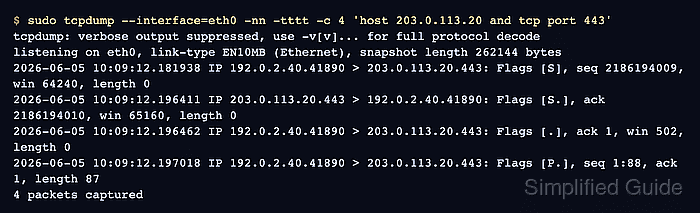
The -tttt option prints a full date and timestamp, and -nn keeps endpoints numeric so DNS lookups do not add delay or ambiguity. Use a narrow host and port filter during the test so the packet rows can be matched to the same peer, service, and request window as the log line.
Clock skew can still make a correct packet capture look unrelated to the log that describes it. Record the timezone used by each system before comparing events, and check the time service when packet and log rows are close enough that sub-second ordering affects an incident timeline.
Steps to correlate tcpdump captures with log timestamps:
- Record the capture host clock and timezone.
$ date --iso-8601=seconds
2026-06-05T10:09:08+00:00
Use the same timezone when building log search windows. UTC is usually the least ambiguous choice when captures and logs come from different systems.
- Start a bounded tcpdump capture with absolute timestamps.
$ sudo tcpdump --interface=eth0 -nn -tttt -c 4 'host 203.0.113.20 and tcp port 443'
tcpdump: verbose output suppressed, use -v[v]... for full protocol decode
listening on eth0, link-type EN10MB (Ethernet), snapshot length 262144 bytes
- Run the request that should create both packet and log evidence while the capture is active.
$ curl --silent --show-error https://api.example.net/health
ok
- Compare the packet time from the capture output.
2026-06-05 10:09:12.181938 IP 192.0.2.40.41890 > 203.0.113.20.443: Flags [S], seq 2186194009, win 64240, length 0
2026-06-05 10:09:12.196411 IP 203.0.113.20.443 > 192.0.2.40.41890: Flags [S.], ack 2186194010, win 65160, length 0
2026-06-05 10:09:12.196462 IP 192.0.2.40.41890 > 203.0.113.20.443: Flags [.], ack 1, win 502, length 0
2026-06-05 10:09:12.197018 IP 192.0.2.40.41890 > 203.0.113.20.443: Flags [P.], seq 1:88, ack 1, length 87
4 packets captured
The first packet marks when the TCP connection attempt left the capture host. Later rows show whether the handshake and request data followed inside the same window.
- Pull the nearby application log window in the same timezone.
$ sudo journalctl --unit=api-client --since '2026-06-05 10:09:00 UTC' --until '2026-06-05 10:09:30 UTC'
Jun 05 10:09:12 host api-client[1184]: GET https://api.example.net/health completed status=200 duration_ms=83
- Check the log host clock when the packet and log times disagree.
log-host$ date --iso-8601=seconds
2026-06-05T10:09:28+00:00
If the clocks differ, correct the timeline before treating packet order as proof of application behavior. A matching peer, port, request path, and timestamp window gives stronger evidence than time alone.
Tool: NTP Offset Log Checker