How to list failed systemd units
Listing failed systemd units is the fastest way to see why a host entered a degraded state after a service change, boot issue, mount problem, or timer run. The filtered list gives you the exact unit names that need follow-up instead of making you scan a much longer mixed unit inventory.
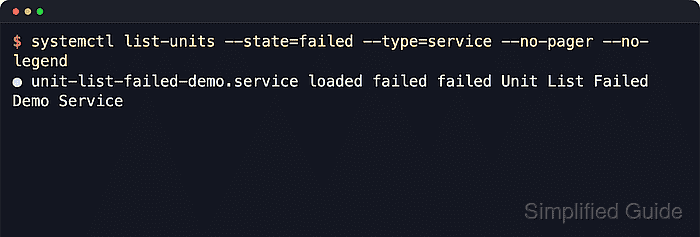
The systemctl list-units view asks the running systemd manager for units currently loaded in memory. Upstream systemd documents that this set includes units that failed earlier in the current manager lifetime, and the --state=failed or --failed filter narrows the result to those failed units only. Each row then shows the unit name together with the LOAD, ACTIVE, and SUB states that describe what actually failed.
These checks are read-only and usually do not require sudo, but they are not a complete history of every earlier boot or every unit file installed on disk. Use systemctl --user list-units --state=failed for per-user managers, and follow any failed entry with systemctl status or journalctl -u before clearing it with reset-failed.
Steps to list failed systemd units with systemctl:
- List the failed units that are currently loaded in the manager.
$ systemctl list-units --state=failed --no-pager
  UNIT                          LOAD   ACTIVE SUB    DESCRIPTION
● unit-list-failed-demo.service loaded failed failed Unit List Failed Demo Service

Legend: LOAD   → Reflects whether the unit definition was properly loaded.
        ACTIVE → The high-level unit activation state, i.e. generalization of SUB.
        SUB    → The low-level unit activation state, values depend on unit type.

1 loaded units listed.
Listing units is read-only, so sudo is normally unnecessary unless the host restricts unit details or journal access. If nothing is currently failed, the command ends with 0 loaded units listed. instead.
systemctl --failed is the shorter equivalent when you do not need the explicit list-units verb.
- Limit the result to failed services when sockets, mounts, timers, or other unit types are not relevant.
$ systemctl list-units --state=failed --type=service --no-pager --no-legend
● unit-list-failed-demo.service loaded failed failed Unit List Failed Demo Service
Use --type=mount, --type=socket, --type=timer, or a comma-separated list such as --type=service,socket when the failure review should stay within specific unit classes.
For per-user failures, run systemctl --user list-units --state=failed against the logged-in user's manager instead of the system manager.
- Inspect a failed unit immediately after listing it so the current failure result and recent log lines are still attached to the unit in memory.
$ systemctl status --no-pager --full unit-list-failed-demo.service
× unit-list-failed-demo.service - Unit List Failed Demo Service
     Loaded: loaded (/etc/systemd/system/unit-list-failed-demo.service; static)
     Active: failed (Result: exit-code) since Wed 2026-04-22 03:23:57 UTC; 15s ago
    Process: 121 ExecStart=/bin/sh -c echo startup check failed >&2; exit 1 (code=exited, status=1/FAILURE)
   Main PID: 121 (code=exited, status=1/FAILURE)
        CPU: 8ms

Apr 22 03:23:56 host systemd[1]: Starting unit-list-failed-demo.service - Unit List Failed Demo Service...
Apr 22 03:23:57 host sh[121]: startup check failed
Apr 22 03:23:57 host systemd[1]: unit-list-failed-demo.service: Main process exited, code=exited, status=1/FAILURE
Apr 22 03:23:57 host systemd[1]: unit-list-failed-demo.service: Failed with result 'exit-code'.
Apr 22 03:23:57 host systemd[1]: Failed to start unit-list-failed-demo.service - Unit List Failed Demo Service.
The Loaded: line confirms the unit file path, while Active: failed (Result: …) tells you how the most recent start failed. Use the unit name from step 1 or step 2 here.
- Show normalized state fields when the failed-unit check is feeding shell filters, monitoring, or a quick operator note.
$ systemctl show -p Result -p LoadState -p ActiveState -p SubState unit-list-failed-demo.service
Result=exit-code
LoadState=loaded
ActiveState=failed
SubState=failed
Result=exit-code means the most recent start command returned a non-zero exit status. LoadState=loaded confirms that systemd successfully loaded the unit definition before the runtime failure occurred.
After the root cause is fixed, rerun step 1 to confirm the failed list is empty, or clear reviewed failures deliberately with How to reset a failed service using systemctl.