How to list systemd targets
Listing systemd targets shows which boot and synchronization milestones exist on a host before changing the default boot target, wiring a unit to a specific milestone, or troubleshooting why a service waits for another stage of boot.
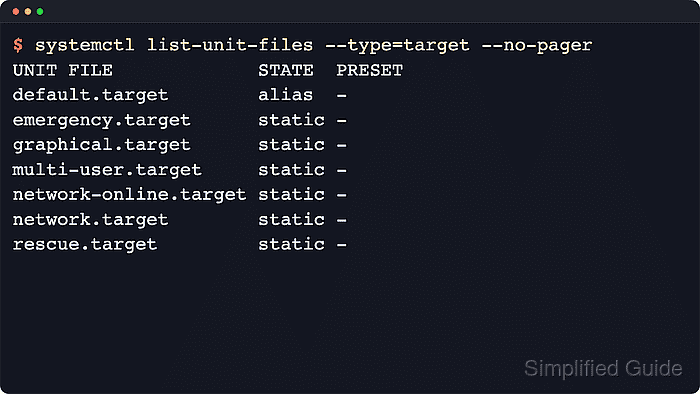
Target units are the .target units that group other units and provide ordering points during boot, shutdown, and session startup. systemctl list-units –type=target asks the running service manager for target units that are currently loaded in memory, while systemctl list-unit-files –type=target reads the installed target unit files from disk and shows their unit-file state.
These views answer different questions. A target such as network-online.target may exist on disk but stay unloaded until something requires it, some targets can appear as alias or indirect enabled instead of static, and systemctl --user queries a separate per-user manager with its own target set.
Steps to list systemd targets:
- Open a terminal on the Linux host that runs systemd.
These listing commands are read-only and normally do not require sudo. Add --user to the commands below when you want the target list from the current user's service manager instead of the system manager.
- List the target units that the running manager currently has loaded in memory.
$ systemctl list-units --type=target --no-pager
  UNIT                    LOAD   ACTIVE SUB    DESCRIPTION
  basic.target            loaded active active Basic System
  cryptsetup.target       loaded active active Local Encrypted Volumes
  getty-pre.target        loaded active active Preparation for Logins
  getty.target            loaded active active Login Prompts
  integritysetup.target   loaded active active Local Integrity Protected Volumes
  local-fs-pre.target     loaded active active Preparation for Local File Systems
  local-fs.target         loaded active active Local File Systems
  multi-user.target       loaded active active Multi-User System
  network-online.target   loaded active active Network is Online
  network-pre.target      loaded active active Preparation for Network
  network.target          loaded active active Network
  ##### snipped #####
  time-set.target         loaded active active System Time Set
  timers.target           loaded active active Timer Units
  veritysetup.target      loaded active active Local Verity Protected Volumes

25 loaded units listed. Pass --all to see loaded but inactive units, too.
To show all installed unit files use 'systemctl list-unit-files'.
Upstream systemctl documents list-units as the in-memory view, so this output does not include every target unit file installed on disk.
- Add --all when you also need loaded targets that are currently inactive.
$ systemctl list-units --type=target --all --no-pager
  UNIT                    LOAD      ACTIVE   SUB    DESCRIPTION
  basic.target            loaded    active   active Basic System
  cloud-config.target     loaded    inactive dead   Cloud-config availability
  emergency.target        loaded    inactive dead   Emergency Mode
  graphical.target        loaded    inactive dead   Graphical Interface
  multi-user.target       loaded    active   active Multi-User System
  network-online.target   loaded    active   active Network is Online
  remote-fs.target        loaded    active   active Remote File Systems
  rescue.target           loaded    inactive dead   Rescue Mode
  time-sync.target        loaded    inactive dead   System Time Synchronized
  timers.target           loaded    active   active Timer Units
  ##### snipped #####

68 loaded units listed.
To show all installed unit files use 'systemctl list-unit-files'.
--all expands the loaded set, but it still does not replace list-unit-files. Targets that were never loaded into the current boot session remain absent from this view.
- List the installed target unit files when the goal is to see the full target inventory and the unit-file state saved on disk.
$ systemctl list-unit-files --type=target --no-pager
UNIT FILE                       STATE    PRESET
basic.target                    static   -
blockdev@.target                static   -
bluetooth.target                static   -
boot-complete.target            static   -
cloud-config.target             static   -
cloud-init.target               static   -
ctrl-alt-del.target             alias    -
default.target                  alias    -
emergency.target                static   -
##### snipped #####
graphical.target                static   -
multi-user.target               indirect enabled
network-online.target           static   -
network.target                  static   -
remote-fs.target                enabled  enabled
rescue.target                   static   -
runlevel5.target                alias    -
timers.target                   static   -

81 unit files listed.
This broader view can include aliases such as default.target, template targets such as blockdev@.target, and distro-specific states such as indirect enabled or enabled in addition to static and disabled.
- Filter the installed target list by pattern when only a subset of milestones matters.
$ systemctl list-unit-files '*network*.target' --type=target --no-pager --no-legend
network-online.target static -
network-pre.target    static -
network.target        static -
Quote the glob so the shell passes it to systemctl unchanged. Upstream systemd.special distinguishes network.target as the general network-available milestone and network-online.target as the stronger wait-until-configured milestone that is usually pulled in only when a unit explicitly needs it.
- Query the common boot-related targets directly when verifying names before a default-target change.
$ systemctl list-unit-files default.target graphical.target multi-user.target rescue.target --no-pager --no-legend
default.target    alias    -
graphical.target  static   -
multi-user.target indirect enabled
rescue.target     static   -
In the system instance, default.target is usually an alias that resolves to multi-user.target or graphical.target. The exact state shown for multi-user.target can vary by distribution and installed packages, so focus on the target name before changing the default boot target.