How to disable a service using systemctl
Disabling a service with systemctl removes its automatic start links so systemd no longer pulls that unit in during boot or other install-time activation. That is useful when a daemon should stay installed for manual use, troubleshooting, or a staged cutover, but should not return automatically after restart.
The systemctl disable subcommand changes the unit file state, not the current process state. Current upstream systemd documentation still defines disable as symlink removal from the writable unit configuration paths, and the command can also disable extra units listed in the unit's [Install] Also= setting.
Examples below use Ubuntu Server 24.04 with cron.service as the verified unit because it starts enabled by default and shows the difference between unit-file state and runtime state clearly. Other distributions often use crond.service instead, use systemctl --user disable for per-user services, and remember that static units have no install rules of their own, so they must be controlled through the timer, socket, path, target, or dependent unit that starts them.
Steps to disable a service using systemctl:
- Check the current enablement state before changing it.
$ systemctl is-enabled cron.service
enabled
Use the full unit name when possible so the result is unambiguous. Replace cron.service with the real unit on the host, such as crond.service, ssh.service, nginx.service, or postgresql.service.
- Disable the service so systemd removes its install links.
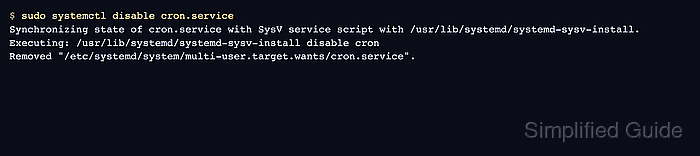
$ sudo systemctl disable cron.service
Synchronizing state of cron.service with SysV service script with /usr/lib/systemd/systemd-sysv-install.
Executing: /usr/lib/systemd/systemd-sysv-install disable cron
Removed "/etc/systemd/system/multi-user.target.wants/cron.service".
On Debian and Ubuntu, package-managed services can print the SysV synchronization lines before the symlink removal message. The decisive result is that the install link is removed and the unit file state becomes disabled. Current upstream systemd behavior also removes all matching symlinks for the unit, not just the ones originally created by enable, and it also disables units referenced through the unit's [Install] Also= setting.
- Confirm that the unit file state is now disabled.
$ systemctl is-enabled cron.service
disabled
If systemctl reports that the unit has no installation config, the unit is usually static and must be managed through the trigger unit that starts it instead of with disable.
- Check the runtime state separately when deciding whether the service also needs to stop now.
$ systemctl is-active cron.service
active
A plain disable changes only the boot-time install state. Use sudo systemctl disable --now cron.service or sudo systemctl stop cron.service when the service should also go inactive immediately.