How to fix rsyslog output file permission errors
When rsyslog cannot open a local file action, matching messages can disappear even though the rule parses cleanly. The service log usually names the blocked destination and reports open error: Permission denied, which means the repair needs to follow the path and permissions used by the omfile action instead of only checking selector syntax.
The common failure is a parent directory that the rsyslog runtime user cannot enter, or an existing file with ownership or mode left behind by a manual test, restore, or rotation change. On Debian and Ubuntu packages, rsyslog commonly drops privileges to the syslog user; log readers often use the adm group, so the examples below set the destination directory to syslog:adm and mode 0750 and the log file to mode 0640.
The same check applies to static and dynamic omfile destinations. Keep ownership and creation mode on the RainerScript action when exact behavior matters, because fileOwner, fileGroup, fileCreateMode, dirOwner, dirGroup, dirCreateMode, and createDirs prevent the next file creation from reintroducing the same error.
Related: How to find local syslog log files
Related: How to test rsyslog configuration syntax
Related: How to send a test syslog message
Steps to fix rsyslog output file permission errors:
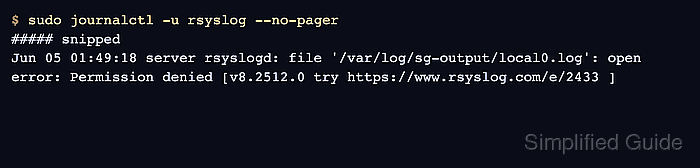
- Read the rsyslog service log and identify the blocked file path.
$ sudo journalctl -u rsyslog --no-pager
##### snipped
Jun 05 01:49:18 server rsyslogd: file '/var/log/sg-output/local0.log': open error: Permission denied [v8.2512.0 try https://www.rsyslog.com/e/2433 ]
The path inside the file message is the destination that failed. Fix that path first; a clean parser check does not prove that rsyslog can create or append the file.
- Confirm that the configuration still passes syntax validation before changing permissions.
$ sudo rsyslogd -N1
rsyslogd: version 8.2512.0, config validation run (level 1), master config /etc/rsyslog.conf
rsyslogd: End of config validation run. Bye.
If the syntax check reports a parser error, fix that error first. A malformed rule can point the investigation at the wrong file action.
- Inspect the parent directory named in the error.
$ sudo ls -ld /var/log/sg-output
drwx------ 2 root root 4096 Jun  5 01:49 /var/log/sg-output
A directory owned by root:root with mode 0700 blocks a daemon running as syslog from entering the directory, even when the omfile action says the new log file should be owned by syslog.
- Confirm the rsyslog runtime user on the host.
$ sudo grep --line-number PrivDrop /etc/rsyslog.conf /etc/rsyslog.d/*.conf
/etc/rsyslog.conf:51:$PrivDropToUser syslog
/etc/rsyslog.conf:52:$PrivDropToGroup syslog
If the command returns no PrivDrop setting, check sudo systemctl cat rsyslog and the distribution package notes for the service user, then substitute that account in the ownership commands.
- Fix the destination directory ownership and search permission.
$ sudo install -o syslog -g adm -m 0750 -d /var/log/sg-output
Change the path to the parent directory from the error message. Keep the owner aligned with the rsyslog runtime user, and choose a group such as adm only when local operators need read access through group membership.
- Fix the existing destination file when it already exists with the wrong owner or mode.
$ sudo chown syslog:adm /var/log/sg-output/local0.log
$ sudo chmod 0640 /var/log/sg-output/local0.log
Skip this step when the file does not exist yet; the omfile action can create it after the directory is writable.
- Open the file action that writes to the blocked path.
$ sudoedit /etc/rsyslog.d/90-local0-file.conf
- Set explicit file and directory creation parameters on the omfile action.
if $programname == "sgperm" then {
    action(
        type="omfile"
        file="/var/log/sg-output/local0.log"
        fileOwner="syslog"
        fileGroup="adm"
        fileCreateMode="0640"
        dirOwner="syslog"
        dirGroup="adm"
        dirCreateMode="0750"
        createDirs="on"
    )
    stop
}
createDirs=“on” lets rsyslog create a missing directory tree for this action, while the owner, group, and mode parameters control newly created directories and files. It does not repair a directory that already exists with blocking permissions, so keep the earlier install -d fix.
- Validate the updated configuration.
$ sudo rsyslogd -N1
rsyslogd: version 8.2512.0, config validation run (level 1), master config /etc/rsyslog.conf
rsyslogd: End of config validation run. Bye.
- Restart rsyslog so any suspended file action is recreated with the corrected permissions.
$ sudo systemctl restart rsyslog
A restart is more decisive than waiting for a suspended action to retry, and it also reopens the file after ownership changes.
Related: How to manage the syslog service
- Send a unique message that should match the repaired file action.
$ logger -p local0.info -t sgperm "SG_PERMISSION_OK_20260605"
Use a new marker string so the verification command cannot match an older log entry.
Related: How to send a test syslog message
- Confirm that rsyslog wrote the marker to the destination file.
$ sudo grep SG_PERMISSION_OK_20260605 /var/log/sg-output/local0.log
2026-06-05T01:49:22.274874+00:00 server sgperm: SG_PERMISSION_OK_20260605
- Confirm the file was created with the intended owner and mode.
$ sudo ls -l /var/log/sg-output/local0.log
-rw-r----- 1 syslog adm 80 Jun  5 01:49 /var/log/sg-output/local0.log
If the marker still does not appear, check for a later stop rule, a different matching selector, log rotation that recreated the file with the old owner, or another Permission denied line for a parent directory above the file.