How to discard unwanted syslog messages in rsyslog
Repeated low-value syslog messages can hide useful events, inflate local log files, and waste remote collector bandwidth after the message has already been judged safe to suppress. A discard rule should match one narrow signature and prove that nearby messages still continue to their normal destinations.
In rsyslog, stop is the discard action. When a message matches a rule that runs stop, rsyslog stops processing that message in the current ruleset, so later file, forwarding, database, or script actions do not see it.
Rule order is the main control surface. Put the discard rule before the actions that would otherwise store or forward the noisy message, validate the full configuration, and test with one matching message plus one non-matching message before using the pattern on production traffic.
Steps to discard unwanted syslog messages in rsyslog:
- Choose the exact message signature to suppress.
Test program name: sgdrop
Discard marker: SG_DROP_ME
Allowed marker: SG_KEEP_ME
Temporary proof file: /var/log/rsyslog-discard-proof.log
Do not start with a broad pattern such as only $msg contains "error" or only a facility selector. Match the program, tag, sender, facility, or another stable field plus a specific message fragment whenever possible.
- Create an early rsyslog drop-in file for the discard rule.
$ sudoedit /etc/rsyslog.d/10-discard-unwanted.conf
The leading number keeps this file ahead of common destination files such as /etc/rsyslog.d/50-default.conf. If the protected action is in an earlier custom file, move the discard rule above that action instead.
- Add a narrow discard rule and a temporary proof action below it.
template(name="DiscardProofFormat" type="string"
         string="%programname%%msg%\n")

if ($programname == "sgdrop" and $msg contains "SG_DROP_ME") then {
    stop
}

*.* action(type="omfile"
           file="/var/log/rsyslog-discard-proof.log"
           template="DiscardProofFormat")
The temporary *.* proof action writes every message that reaches this point in the rule flow. Use it only during validation, then remove it or replace it with the real destination action.
Use stop for current configs. The legacy tilde discard action still appears in old examples, but current rsyslog documentation recommends avoiding it.
- Validate the full rsyslog configuration.
$ sudo rsyslogd -N1
rsyslogd: version 8.2512.0, config validation run (level 1), master config /etc/rsyslog.conf
rsyslogd: End of config validation run. Bye.
Run validation from the master configuration so rsyslog reads /etc/rsyslog.conf and included drop-in files in the same order as the service. Related: How to test rsyslog configuration syntax
- Restart rsyslog to load the new rule.
$ sudo systemctl restart rsyslog
Use restart unless the distribution's rsyslog unit explicitly documents a reload action. Related: How to manage the syslog service
- Clear the proof file before sending test messages.
$ sudo truncate -s 0 /var/log/rsyslog-discard-proof.log
- Send a message that should match the discard rule.
$ logger --tag sgdrop "SG_DROP_ME unwanted heartbeat"
Use a unique marker during testing so the verification step cannot match an older log entry. Related: How to send a test syslog message
- Confirm that the matching message did not reach the proof destination.
$ sudo cat /var/log/rsyslog-discard-proof.log
No output from the proof file means the message matched the discard rule before the later file action ran.
- Send a nearby message that should not match the discard rule.
$ logger --tag sgdrop "SG_KEEP_ME normal heartbeat"
- Confirm that the non-matching message still reaches the proof destination.
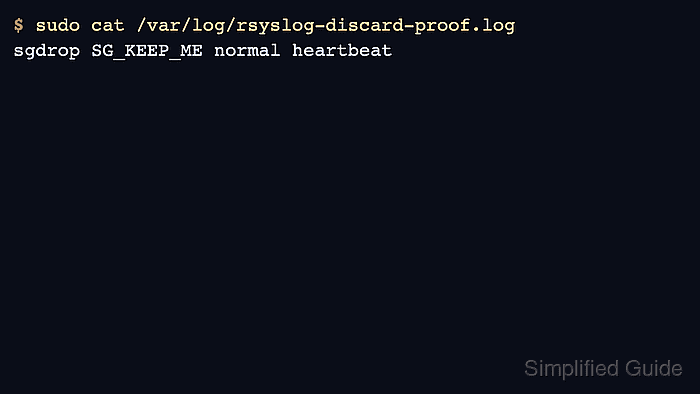
$ sudo cat /var/log/rsyslog-discard-proof.log
sgdrop SG_KEEP_ME normal heartbeat
The allowed marker appearing in the file confirms that the rule did not stop every message from the same program tag.
- Replace the test signature with the real unwanted message pattern.
if ($programname == "noisyapp" and $msg contains "health check passed") then {
    stop
}
Keep the production discard rule above the local file, remote forwarding, or other action that should not receive the unwanted message. After changing the real pattern, run sudo rsyslogd -N1 and restart rsyslog again.
- Verify the real downstream destination after the production rule is active.
For a local file destination, send or wait for one matching message and confirm it is absent while unrelated messages still appear. For a remote collector, check the collector search or receiver log instead of only checking the sender.