How to find local syslog log files
Syslog messages do not always land in the path an operator expects, especially when moving between Debian-style /var/log/syslog layouts and Red Hat-style /var/log/messages layouts. The active rsyslog rules show which facilities and priorities are written to which local files, so the destination can be found from configuration instead of from a guessed filename.
Local file destinations normally appear as actions on the right side of selector rules, such as auth,authpriv.* /var/log/auth.log or *.*;auth,authpriv.none -/var/log/syslog. A leading hyphen before the file path changes sync behavior only; it does not make the path inactive. Commented lines beginning with # are examples or disabled destinations and should not be treated as current routing.
The commands below use a local0.info test message because user-space tools can generate it safely with logger. Kernel messages, remote inputs, early-boot records, and journal-only systems may need a different proof surface, but the same rule scan still identifies whether rsyslog is configured to write a local file.
Steps to find local syslog log files:
- Open a terminal with sudo access on the host running rsyslog.
- Scan the rsyslog configuration for local /var/log file actions.
$ sudo grep --line-number /var/log/ /etc/rsyslog.conf /etc/rsyslog.d/*.conf
/etc/rsyslog.d/50-default.conf:8:auth,authpriv.*			/var/log/auth.log
/etc/rsyslog.d/50-default.conf:9:*.*;auth,authpriv.none		-/var/log/syslog
/etc/rsyslog.d/50-default.conf:10:#cron.*				/var/log/cron.log
/etc/rsyslog.d/50-default.conf:11:#daemon.*			-/var/log/daemon.log
/etc/rsyslog.d/50-default.conf:12:kern.*				-/var/log/kern.log
/etc/rsyslog.d/50-default.conf:13:#lpr.*				-/var/log/lpr.log
/etc/rsyslog.d/50-default.conf:14:mail.*				-/var/log/mail.log
/etc/rsyslog.d/50-default.conf:15:#user.*				-/var/log/user.log
/etc/rsyslog.d/50-default.conf:23:mail.err			/var/log/mail.err
On Red Hat-family systems, the same scan commonly shows destinations such as /var/log/messages, /var/log/secure, /var/log/maillog, and /var/log/cron.
- Match the message class to each active selector that applies.
In the sample output, local0.info is not auth or authpriv, so it matches *.*;auth,authpriv.none and writes to /var/log/syslog. Authentication messages match auth,authpriv.* and write to /var/log/auth.log.
- Check the selected file path.
$ sudo ls -l /var/log/syslog
-rw-r----- 1 syslog adm 684 Jun  5 01:21 /var/log/syslog
If an active rule points to a file that is not present yet, rsyslog may create it only after the first matching message arrives and the service has permission to write the directory.
- Send a tagged test message that should match the selected rule.
$ logger -p local0.info -t sglogfind "SG_LOG_FILE_FIND_20260605"
Use a unique message string so the verification step cannot match an older log entry.
- Search the selected file for the test message.
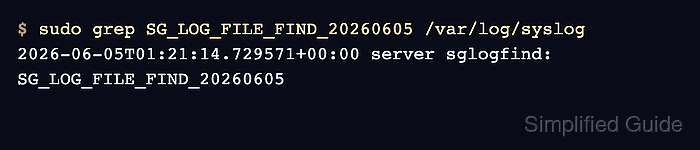
$ sudo grep SG_LOG_FILE_FIND_20260605 /var/log/syslog
2026-06-05T01:21:14.729571+00:00 server sglogfind: SG_LOG_FILE_FIND_20260605
- Use the matched file as the local syslog destination for that message class.
If the message is missing, inspect rule order, stop statements, journald forwarding, and file permissions before assuming the file path is wrong.