How to forward systemd journal messages to syslog
Systemd services often write to the journal first, while existing operations still depend on rsyslog rules, local syslog files, or remote syslog collectors. Forwarding journal messages to syslog gives those destinations a copy of new entries after systemd-journald receives them.
The socket handoff uses ForwardToSyslog=yes in a journald drop-in. When forwarding is active, systemd-journald sends new messages to /run/systemd/journal/syslog, and rsyslog can read that systemd-provided socket through its imuxsock input.
This method is immediate and not retroactive. It does not replay old journal entries, and it differs from imjournal setups where rsyslog reads stored journal files as a journal client. Avoid enabling both paths without a duplicate-message plan, and restart journald plus rsyslog during a controlled window on busy log hosts.
Steps to forward systemd journal messages to syslog:
- Confirm that rsyslog loads the local system log socket input.
$ grep 'module(load="imuxsock")' /etc/rsyslog.conf
module(load="imuxsock") # provides support for local system logging
On systemd hosts, imuxsock uses the systemd-provided /run/systemd/journal/syslog socket when it exists and SysSock.Use has not been disabled.
- Create the local journald drop-in directory if it is missing.
$ sudo install -d -m 755 /etc/systemd/journald.conf.d
- Open a local drop-in for syslog forwarding.
$ sudoedit /etc/systemd/journald.conf.d/60-forward-to-syslog.conf
- Enable forwarding to the traditional syslog socket.
[Journal]
ForwardToSyslog=yes
Use a drop-in instead of editing the packaged /etc/systemd/journald.conf file so package updates do not overwrite the local choice.
- Add a narrow rsyslog proof rule for the smoke-test tag.
$ sudoedit /etc/rsyslog.d/30-journal-forward-proof.conf
if $programname == "sg-journal-forward" then {
    action(type="omfile" file="/var/log/journal-forward-proof.log")
    stop
}
Use this proof file only for the test tag, or replace the action with the existing file, ruleset, or remote forwarding action that should receive journal messages. Related: How to route syslog messages to a file in rsyslog
- Validate the full rsyslog configuration before restarting the service.
$ sudo rsyslogd -N1
rsyslogd: version 8.2512.0, config validation run (level 1), master config /etc/rsyslog.conf
rsyslogd: End of config validation run. Bye.
Fix parser errors before restarting rsyslog. Related: How to test rsyslog configuration syntax
- Restart journald so it rereads the forwarding drop-in.
$ sudo systemctl restart systemd-journald.service
Restarting systemd-journald can briefly interrupt log intake. Schedule the change when a short logging gap is acceptable.
- Restart rsyslog so it reads the proof rule and reconnects to the syslog socket.
$ sudo systemctl restart rsyslog.service
- Confirm that both services are active after the restarts.
$ systemctl is-active systemd-journald.service
active
$ systemctl is-active rsyslog.service
active
If rsyslog is not active, inspect the service journal and re-run the syntax test before sending more test messages. Related: How to manage the syslog service
- Send one test message through systemd-cat so it enters the journal first.
$ systemd-cat -t sg-journal-forward -p info echo "journal forward smoke sg-20260605"
systemd-cat runs the command with stdout connected to the journal, which keeps the smoke test centered on the journal-to-syslog handoff.
- Confirm that the message is present in the journal.
$ journalctl -t sg-journal-forward -o cat --no-pager
journal forward smoke sg-20260605
- Confirm that rsyslog wrote the same message to the syslog proof destination.
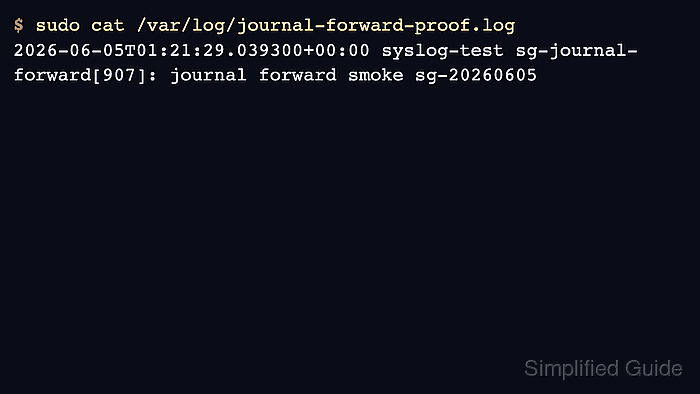
$ sudo cat /var/log/journal-forward-proof.log
2026-06-05T01:21:29.039300+00:00 syslog-test sg-journal-forward[907]: journal forward smoke sg-20260605
The same tag and message body in the proof file confirm that journald received the entry and rsyslog processed the forwarded syslog copy.
If the journal entry exists but the proof file is empty, recheck ForwardToSyslog, the imuxsock load line, rsyslog service state, and any MaxLevelSyslog limit that could drop the message priority.
- Remove the proof-only rule after the real syslog destination has been tested.
$ sudo rm /etc/rsyslog.d/30-journal-forward-proof.conf
$ sudo rsyslogd -N1
rsyslogd: version 8.2512.0, config validation run (level 1), master config /etc/rsyslog.conf
rsyslogd: End of config validation run. Bye.
$ sudo systemctl restart rsyslog.service
Keep the journald drop-in in place. Only remove the proof rule unless that dedicated proof file should remain part of the syslog policy.