How to configure an rsyslog forwarding queue
An rsyslog forwarding action needs its own queue when a remote collector can disappear for short periods and the sender still needs local logging rules to keep moving. The queue sits in front of the forwarding action, buffers accepted messages while delivery is suspended, and lets rsyslog retry the collector instead of immediately failing the action.
For TCP forwarding, keep the queue settings inside the same RainerScript action() block as the omfwd target. queue.type="LinkedList" creates a separate in-memory action queue, queue.filename makes that queue disk-assisted, queue.saveOnShutdown="on" preserves queued memory entries during an orderly stop, and action.resumeRetryCount="-1" keeps retrying instead of discarding messages after the default retry count.
Disk-assisted queues are not the same as fully synchronous disk queues. Short outages may stay entirely in memory, queue files may appear only after spillover or orderly shutdown, and a TCP reconnect boundary can deliver a duplicate copy of the last message. Size the queue for the outage window and disk budget, then monitor the sender and collector so a long receiver outage does not silently consume spool space.
Related: How to forward syslog messages with rsyslog
Related: How to test rsyslog configuration syntax
Related: How to manage the syslog service
Steps to configure an rsyslog forwarding queue:
- Find the forwarding action that should tolerate receiver outages.
$ sudo grep -R 'type="omfwd"' /etc/rsyslog.conf /etc/rsyslog.d/
/etc/rsyslog.d/60-forwarding.conf:action(type="omfwd" target="loghub.example.net" port="514" protocol="tcp")
Add the queue to the specific remote action that needs buffering. If the host does not already forward messages, configure forwarding first and then return to the queue settings.
- Confirm that the rsyslog work directory exists and is writable by the service account.
$ sudo install -d -o syslog -g adm -m 700 /var/spool/rsyslog
Debian and Ubuntu packages commonly run rsyslog as the syslog user and use /var/spool/rsyslog as the work directory. On another distribution, match the owner and path already used by the packaged /etc/rsyslog.conf.
- Open the forwarding drop-in file.
$ sudo vi /etc/rsyslog.d/60-forwarding.conf
- Replace or update the forwarding action so the queue parameters are inside the same action() block.
action(
    type="omfwd"
    target="loghub.example.net"
    port="514"
    protocol="tcp"
    queue.type="LinkedList"
    queue.filename="forwarding-action"
    queue.spoolDirectory="/var/spool/rsyslog"
    queue.size="10000"
    queue.maxDiskSpace="1g"
    queue.saveOnShutdown="on"
    action.resumeRetryCount="-1"
)
Setting Purpose queue.type=“LinkedList” Creates a separate asynchronous action queue so the forwarding action does not block the main ruleset while the collector is unavailable. queue.filename=“forwarding-action” Enables disk-assisted behavior and names the queue chunk files. This is a file prefix, not a path. queue.spoolDirectory=“/var/spool/rsyslog” Stores disk-assisted queue files in an existing directory that rsyslog can write. queue.size=“10000” Limits the in-memory queue by message count before full-queue behavior applies. queue.maxDiskSpace=“1g” Caps the disk portion of the disk-assisted queue. queue.saveOnShutdown=“on” Writes in-memory queued data during an orderly rsyslog shutdown. action.resumeRetryCount=“-1” Retries the forwarding action indefinitely instead of discarding queued messages after a finite retry count. Keep any existing target, port, protocol, template, TLS, or filter settings that already belong to the forwarding action. The queue settings add buffering; they should not change which messages are selected or where they are sent.
Make queue.maxDiskSpace smaller than the free space reserved for log spooling. A long collector outage can still fill the queue limit and force later messages into discard or delay behavior.
- Validate the full rsyslog configuration before restarting the service.
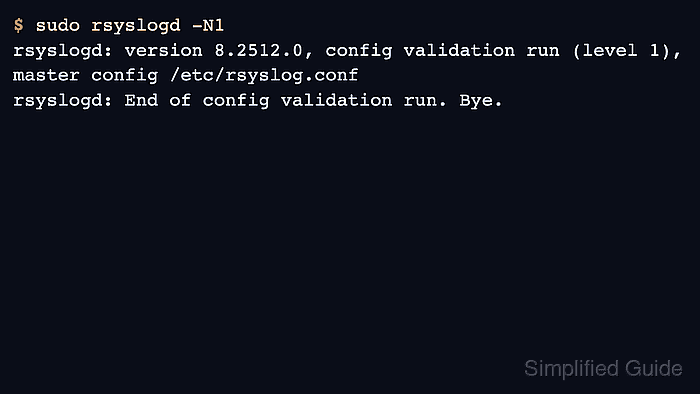
$ sudo rsyslogd -N1
rsyslogd: version 8.2512.0, config validation run (level 1), master config /etc/rsyslog.conf
rsyslogd: End of config validation run. Bye.
Run the parser against the master config so modules, templates, includes, and action parameters are loaded in the same order as the service.
- Restart rsyslog to apply the queued forwarding action.
$ sudo systemctl restart rsyslog
Restarting rsyslog briefly interrupts local log processing. Use a controlled change window on busy senders or collectors.
Related: How to manage the syslog service
- Confirm that the service is running after the restart.
$ sudo systemctl is-active rsyslog
active
- Send a normal test message while the collector is reachable.
$ logger -t queue-demo "forwarding queue smoke test"
Related: How to send a test syslog message
- Confirm that the collector receives the smoke-test message.
$ sudo grep 'forwarding queue smoke test' /var/log/remote/log-client.example.log
2026-06-05T01:19:34+00:00 log-client.example queue-demo forwarding queue smoke test
Use the receiver-side path, search tool, or SIEM query that normally proves forwarded messages for this collector.
- In a test window, make the collector unavailable to this sender only, then send a message that should queue locally.
$ logger -t queue-demo "queued while collector is offline"
Do not stop a shared production collector just to test the sender. Use a lab receiver, a maintenance window, or a temporary network rule that affects only the test host.
- Restore the collector path and confirm that the queued message arrives.
$ sudo grep 'queued while collector is offline' /var/log/remote/log-client.example.log
2026-06-05T01:20:00+00:00 log-client.example queue-demo queued while collector is offline
2026-06-05T01:20:00+00:00 log-client.example queue-demo queued while collector is offline
One or more copies after the receiver returns proves that the action kept retrying and delivered the buffered message. Duplicate copies can happen around TCP reconnect boundaries, so downstream processing should tolerate repeated messages with the same timestamp and payload.
- Check the spool directory only when a longer outage or orderly shutdown should have forced disk-assisted files to appear.
$ sudo ls -lh /var/spool/rsyslog
total 0
An empty directory after a short outage is expected when the queue drained from memory. Investigate files with the forwarding-action prefix when the receiver has recovered but the queue does not shrink.