How to test rsyslog configuration syntax
A malformed rsyslog rule can stop local log routing or remote forwarding as soon as the service is restarted. Syntax validation catches parser failures while the current daemon keeps running, so a bad directive can be corrected before the logging path is disturbed.
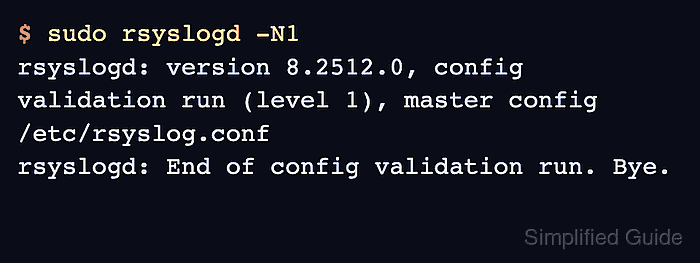
The rsyslogd -N1 validation mode reads the main configuration and exits after checking the loaded file tree. The default master config is /etc/rsyslog.conf, which commonly includes drop-in files under /etc/rsyslog.d/.
Run the check from the master config rather than validating one snippet in isolation, because a snippet can depend on modules, rulesets, globals, or include order loaded elsewhere. A clean parser result does not prove destination permissions, reachable collectors, free disk space, or service state after restart, so pair it with a service check before applying live changes.
Steps to test rsyslog configuration syntax:
- Save the changed rsyslog file without restarting the service.
Common edit locations include /etc/rsyslog.conf and drop-in files such as /etc/rsyslog.d/90-forwarding.conf.
- Run the default rsyslog syntax validation.
$ sudo rsyslogd -N1
rsyslogd: version 8.2512.0, config validation run (level 1), master config /etc/rsyslog.conf
rsyslogd: End of config validation run. Bye.
-N1 checks configuration syntax without starting another rsyslogd daemon.
- Read the first parser error when validation fails.
$ sudo rsyslogd -N1
rsyslogd: version 8.2512.0, config validation run (level 1), master config /etc/rsyslog.conf
rsyslogd: invalid or yet-unknown config file command 'InvalidDirective' - have you forgotten to load a module? [v8.2512.0 try https://www.rsyslog.com/e/3003 ]
Some errors include a file and line number; others name the directive or module check that failed. Fix the first parser message before chasing later output.
- Test a nondefault master configuration file when the host starts rsyslogd with a custom config path.
$ sudo rsyslogd -f /etc/rsyslog-custom.conf -N1
rsyslogd: version 8.2512.0, config validation run (level 1), master config /etc/rsyslog-custom.conf
rsyslogd: End of config validation run. Bye.
Do not point rsyslogd -f at a single drop-in file for normal validation. Use the master config so includes are processed in the same order as the service.
- Re-run the validation after each correction until it returns a clean validation line.
- Check the service state before applying the validated change.
$ sudo systemctl is-active rsyslog
active
Related: How to manage the syslog service
- Restart rsyslog to load the validated configuration.
$ sudo systemctl restart rsyslog
The Ubuntu 26.04 package does not define a systemd reload action for rsyslog, so restart unless your distribution's unit explicitly supports reload.
Related: How to manage the syslog service
- Confirm that rsyslog is active after the restart.
$ sudo systemctl is-active rsyslog
active
If the state is not active, inspect sudo systemctl status rsyslog or the service journal before retrying the restart.
Related: How to manage the syslog service