How to monitor an application log file with rsyslog
Applications that write plain text log files can sit outside the normal syslog path even when rsyslog already handles system logs. The imfile input lets rsyslog read each new line from that file, attach a tag and syslog priority, and send it through a named ruleset.
The watched file is declared with an absolute File path, a Tag that identifies the application, and the Facility plus Severity that downstream rules will see. A named ruleset keeps the file input action separate from the default system log rules, which makes the first proof easy to inspect before the destination is changed to a forwarder or another output.
The rsyslog process must be able to read the log file and every parent directory in the path. Use freshStartTail when historical lines should not be replayed during first enable, and use reopenOnTruncate for application logs that are truncated during rotation instead of replaced with a new file.
Steps to monitor an application log file with rsyslog:
- Choose the application log path, syslog identity, and proof destination.
Application log: /var/log/orders/orders.log
Syslog tag: orders-app:
Facility and severity: local0.info
Proof destination: /var/log/orders-app-syslog.log
Use a dedicated proof destination first so the imfile input can be tested without mixing synthetic test lines into another application log or remote collector.
- Create an rsyslog configuration file for the application log input.
$ sudoedit /etc/rsyslog.d/30-application-log-monitor.conf
module(load="imfile")

template(name="AppLogProof" type="string"
         string="%syslogtag% %syslogfacility-text%.%syslogseverity-text% %msg%\n")

ruleset(name="orders_app_log") {
    action(type="omfile"
           file="/var/log/orders-app-syslog.log"
           template="AppLogProof")
}

input(type="imfile"
      File="/var/log/orders/orders.log"
      Tag="orders-app:"
      Severity="info"
      Facility="local0"
      PersistStateInterval="10"
      reopenOnTruncate="on"
      freshStartTail="on"
      Ruleset="orders_app_log")
If another active file already loads imfile, keep only one module(load=“imfile”) line before validating the configuration.
- Validate the full rsyslog configuration before restarting the service.
$ sudo rsyslogd -N1
rsyslogd: version 8.2512.0, config validation run (level 1), master config /etc/rsyslog.conf
rsyslogd: End of config validation run. Bye.
Fix any reported file and line number before continuing. Related: How to test rsyslog configuration syntax
- Restart rsyslog so it opens the watched file and proof destination.
$ sudo systemctl restart rsyslog
- Confirm that the service is running after the restart.
$ systemctl is-active rsyslog
active
- Append one harmless test line to the application log.
$ sudo sh -c 'printf "%s\n" "order_id=1001 status=paid" >> /var/log/orders/orders.log'
Use a synthetic line that is acceptable in the application audit trail, or run the first test against a staging log path with the same permissions.
- Read the proof destination to confirm that imfile converted the new line into a syslog message.
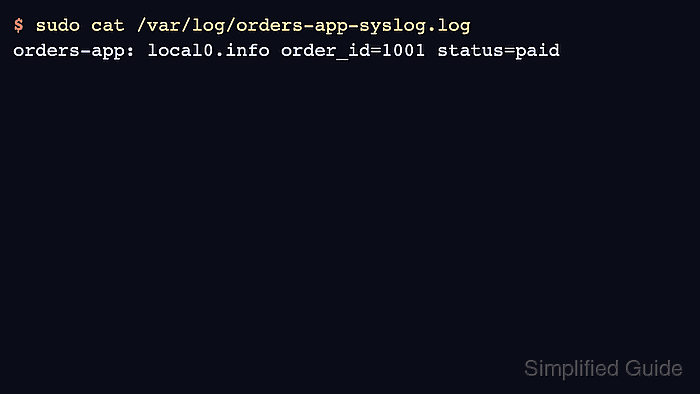
$ sudo cat /var/log/orders-app-syslog.log
orders-app: local0.info order_id=1001 status=paid
The tag, facility, severity, and message body prove that the watched file entered the configured rsyslog ruleset. Rotate this proof file if it remains in use. Related: How to rotate syslog log files with logrotate