How to create a Twig template in Symfony
A Symfony HTML page usually starts with a controller action and a Twig file working together. The controller chooses the template, and Twig renders the HTML that the browser receives.
Templates live under templates/ by default, and controller code references them by the path relative to that directory. A path such as catalog/index.html.twig points to templates/catalog/index.html.twig, so the directory structure and the string passed to render() must stay aligned.
Start from a project that already boots php bin/console. A project created with symfony new acme-app and --webapp already includes Twig support; a smaller skeleton may need composer require symfony/twig-bundle before debug:twig and lint:twig are available. The local check should show a valid template, a registered route, and an HTTP response that contains the expected HTML.
Related: How to create a Symfony controller
Related: How to create a Symfony route
Steps to create a Symfony Twig template:
- Open the Symfony project root.
$ cd ~/projects/acme-app
Use the directory that contains composer.json, bin/console, src/, and templates/.
- Create the template directory.
$ mkdir -p templates/catalog
- Open the new Twig template file.
$ vi templates/catalog/index.html.twig
- Add the template markup.
- index.html.twig
{% extends 'base.html.twig' %}

{% block title %}Product catalog{% endblock %}

{% block body %}
    <h1>Product catalog</h1>

    <ul>
        <li>Coffee mug</li>
        <li>Notebook</li>
        <li>Sticker pack</li>
    </ul>
{% endblock %}
base.html.twig comes from the standard webapp skeleton. Use another layout name only when the project already has a different base template.
- Open the controller file that will render the template.
$ vi src/Controller/CatalogController.php
- Render the template from the controller action.
- CatalogController.php
<?php

namespace App\Controller;

use Symfony\Bundle\FrameworkBundle\Controller\AbstractController;
use Symfony\Component\HttpFoundation\Response;
use Symfony\Component\Routing\Attribute\Route;

final class CatalogController extends AbstractController
{
    #[Route('/catalog', name: 'app_catalog', methods: ['GET'])]
    public function index(): Response
    {
        return $this->render('catalog/index.html.twig');
    }
}
AbstractController::render() looks up the template path. Pass a second argument to render() later when the template needs controller variables.
- Check the template syntax.
$ php bin/console lint:twig templates/catalog/index.html.twig

 [OK] All 1 Twig files contain valid syntax.
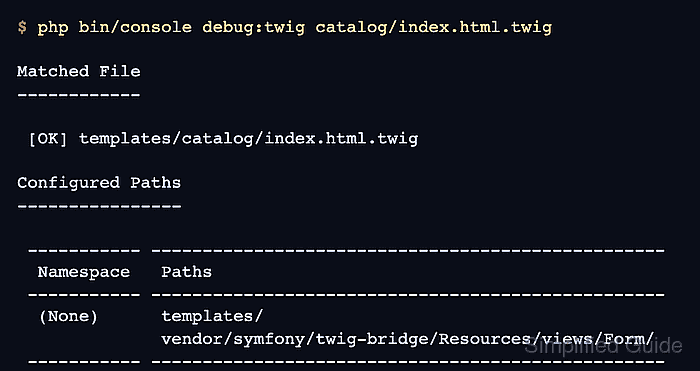
- Confirm that Symfony can locate the template.
$ php bin/console debug:twig catalog/index.html.twig

Matched File
------------

 [OK] templates/catalog/index.html.twig

Configured Paths
----------------

 ----------- --------------------------------------------------
  Namespace   Paths
 ----------- --------------------------------------------------
  (None)      templates/
              vendor/symfony/twig-bridge/Resources/views/Form/
 ----------- --------------------------------------------------
- Confirm that the controller route is registered.
$ php bin/console debug:router app_catalog
+--------------+---------------------------------------------------------+
| Property     | Value                                                   |
+--------------+---------------------------------------------------------+
| Route Name   | app_catalog                                             |
| Path         | /catalog                                                |
| Path Regex   | {^/catalog$}sDu                                         |
| Host         | ANY                                                     |
| Host Regex   |                                                         |
| Scheme       | ANY                                                     |
| Method       | GET                                                     |
| Requirements | NO CUSTOM                                               |
| Class        | Symfony\Component\Routing\Route                         |
| Defaults     | _controller: App\Controller\CatalogController::index()  |
| Options      | compiler_class: Symfony\Component\Routing\RouteCompiler |
|              | utf8: true                                              |
+--------------+---------------------------------------------------------+
If a copied development cache does not show the new route, run php bin/console cache:clear once, then repeat the route check.
- Start the local Symfony web server.
$ symfony server:start --no-tls --port=8000 -d
[OK] Web server listening
     http://127.0.0.1:8000
The Symfony local web server is for development only. Do not expose it as a production web server.
Related: How to run a Symfony project locally
- Request the rendered page.
$ curl --silent --show-error --include http://127.0.0.1:8000/catalog
HTTP/1.1 200 OK
Content-Type: text/html; charset=UTF-8
##### snipped #####

<!DOCTYPE html>
<html>
    <head>
        <meta charset="UTF-8">
        <title>Product catalog</title>
##### snipped #####
    <body>
            <h1>Product catalog</h1>

    <ul>
        <li>Coffee mug</li>
        <li>Notebook</li>
        <li>Sticker pack</li>
    </ul>
##### snipped #####
HTTP 200 OK plus the Product catalog heading and list items prove that the route rendered the Twig template.
- Stop the local server after the smoke test.
$ symfony server:stop
Stopping PHP-FPM
Stopping Web Server

[OK] Stopped 2 process(es) successfully