How to set Symfony secrets
Application secrets such as API keys, database passwords, and webhook signing values should stay out of committed dotenv files. Symfony secrets store those values in an encrypted vault so configuration can keep using environment-style names without exposing the plaintext value in source control.
Symfony stores vault files under /config/secrets/<environment>. The public encryption key and encrypted secret files can be committed, while the private decryption key for production must stay outside the repository and deployment logs.
Secret names are read with the same %env(NAME)% syntax as environment variables, and real environment variables still override vault values. Use a separate value for each environment that needs the secret, then verify the vault by listing the masked name or revealing a controlled dummy value in a private terminal.
Steps to set a Symfony secret:
- Generate the secrets encryption keys for the active environment.
$ php bin/console secrets:generate-keys

 [OK] Sodium keys have been generated at
      "config/secrets/dev/dev.*.public/private.php".

 ! [CAUTION] DO NOT COMMIT THE DECRYPTION KEY FOR THE PROD ENVIRONMENT
The production private key file, such as /config/secrets/prod/prod.decrypt.private.php, can decrypt production secrets. Keep it out of commits, tickets, screenshots, and shared logs.
- Set the secret by name and enter the value at the hidden prompt.
$ php bin/console secrets:set PAYMENT_API_KEY

 Please type the secret value:
 >

 [OK] Secret "PAYMENT_API_KEY" encrypted in "config/secrets/dev/"; you can
      commit it.
Use uppercase names such as PAYMENT_API_KEY, DATABASE_PASSWORD, or WEBHOOK_SIGNING_SECRET so the same name reads clearly in %env(NAME)% references.
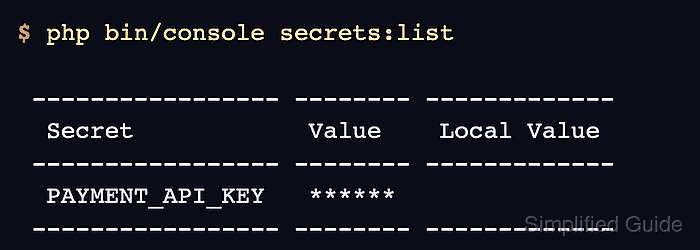
- List the vault without revealing the secret value.
$ php bin/console secrets:list

 ----------------- -------- -------------
  Secret            Value    Local Value
 ----------------- -------- -------------
  PAYMENT_API_KEY   ******
 ----------------- -------- -------------

 // Use "%env(<name>)%" to reference a secret in a config file.
 // To reveal the secrets run php bin/console secrets:list --reveal
 // Local values override secret values.
 // Use secrets:set --local to define them.
- Reference the secret name in the Symfony configuration that needs the value.
# config/services.yaml
parameters:
    app.payment_api_key: '%env(PAYMENT_API_KEY)%'
The vault stores the value; the configuration stores only the lookup name. If a real environment variable named PAYMENT_API_KEY is also set, Symfony uses that environment variable instead of the vault value.
- Generate production keys when the deployed application needs this secret.
$ APP_RUNTIME_ENV=prod php bin/console secrets:generate-keys

 [OK] Sodium keys have been generated at
      "config/secrets/prod/prod.*.public/private.php".

 ! [CAUTION] DO NOT COMMIT THE DECRYPTION KEY FOR THE PROD ENVIRONMENT
The production vault is separate from the development vault. Use production values only for production, and protect /config/secrets/prod/prod.decrypt.private.php or the equivalent SYMFONY_DECRYPTION_SECRET deployment variable.
- Set the production value in the production vault.
$ APP_RUNTIME_ENV=prod php bin/console secrets:set PAYMENT_API_KEY Please type the secret value: > [OK] Secret "PAYMENT_API_KEY" encrypted in "config/secrets/prod/"; you can commit it. - Reveal the secret only in a controlled terminal when a one-time decryption check is required.
$ php bin/console secrets:reveal PAYMENT_API_KEY
pay_live_example_51QgMaskedValue
secrets:reveal prints the raw value. Use it with a dummy value during testing, or run it only where terminal scrollback, logs, and screen sharing are controlled.