How to configure Symfony Mailer
Symfony applications need a Mailer transport before password resets, notifications, registration messages, or background email jobs can leave the app. The transport DSN tells Symfony Mailer whether to use an SMTP server, a provider bridge, sendmail, a local catcher, or a disabled transport for a test environment.
The default Symfony Flex recipe stores the active transport in MAILER_DSN and loads it through the Mailer package configuration. Keep local overrides outside committed defaults, and keep production credentials in deployment configuration or Symfony secrets rather than committed dotenv files.
A local Mailpit catcher lets the test message be inspected without reaching a real inbox. Replace the DSN with your provider's supported format for production, and URL-encode usernames, passwords, or API keys that contain characters such as +, /, @, or :.
Steps to configure Symfony Mailer transport:
- Confirm the Mailer package configuration reads the DSN from MAILER_DSN.
$ cat config/packages/mailer.yaml
framework:
    mailer:
        dsn: '%env(MAILER_DSN)%'
Symfony loads package configuration from config/packages. The Mailer recipe normally creates this file when symfony/mailer is installed.
- Start a local Mailpit SMTP catcher for the configuration check.
$ docker run --detach --name mailpit --publish 2525:1025 --publish 8025:8025 axllent/mailpit
26f15f3718905bad5bda0ccd69e969e040b82c3afff6fd4fb9f25368cbabb7aa
The command maps host port 2525 to Mailpit's SMTP port and exposes the web/API inbox on http://127.0.0.1:8025. Use an existing catcher instead if your project already has one.
- Add the local SMTP transport DSN to .env.local.
# .env.local
MAILER_DSN=smtp://127.0.0.1:2525
Do not commit .env.local when it contains real SMTP credentials or provider API keys. Store production secrets in the deployment environment or Symfony secrets instead.
Related: How to set Symfony secrets - Confirm Symfony reads the active Mailer DSN.
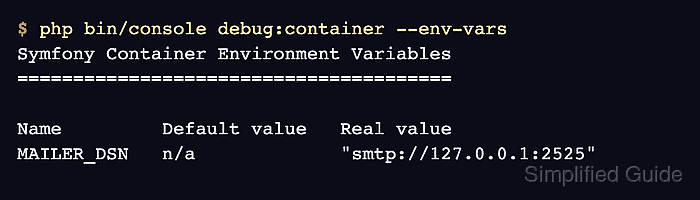
$ php bin/console debug:container --env-vars
Symfony Container Environment Variables
=======================================

##### snipped #####
  MAILER_DSN                n/a                "smtp://127.0.0.1:2525"
##### snipped #####
The Real value column is the value available to CLI commands. Web requests can differ when the web server sets environment variables separately.
Related: How to set Symfony environment variables - Send a test message through the configured transport.
$ php bin/console mailer:test ops@example.com --from=app@example.com --subject='Symfony Mailer check' --body='Mailer transport is configured.'
mailer:test sends directly through the Mailer transport and bypasses Messenger when async email delivery is configured.
- Verify the message reached the local catcher.
$ curl -sS http://127.0.0.1:8025/api/v1/messages
{
  "total": 1,
  "messages": [
    {
      "From": {"Address": "app@example.com"},
      "To": [{"Address": "ops@example.com"}],
      "Subject": "Symfony Mailer check",
      "Snippet": "Mailer transport is configured."
    }
  ]
}
A message with the expected sender, recipient, subject, and snippet shows Symfony loaded the DSN and handed the email to the selected SMTP transport.
- Stop the local catcher when the configuration check is finished.
$ docker rm --force mailpit
mailpit
Leave Mailpit running if it is the development catcher for the project.