How to configure Suricata HOME_NET
Suricata rules depend on network direction as much as packet content. The HOME_NET address group marks protected networks, so inbound, outbound, and local-server signatures evaluate traffic against the addresses that actually belong to the sensor environment.
The packaged YAML keeps HOME_NET under vars → address-groups, and related groups such as HTTP_SERVERS often point back to it. EXTERNAL_NET commonly stays at !$HOME_NET, which means setting HOME_NET too broadly can make external traffic definitions unusable.
Use the internal CIDR blocks that the sensor protects, not every route visible on the host. Validate the parsed configuration before restarting Suricata so YAML quoting or bracket mistakes do not stop the sensor during the reload window.
Steps to configure Suricata HOME_NET:
- Open the active Suricata configuration file.
$ sudo vi /etc/suricata/suricata.yaml
- Set the HOME_NET list to the protected CIDR blocks.
vars:
  address-groups:
    HOME_NET: "[192.168.10.0/24,10.20.0.0/16]"
    EXTERNAL_NET: "!$HOME_NET"
Replace the example CIDRs with the internal networks watched by the sensor. Keep the brackets and quotes when listing multiple networks.
Do not combine HOME_NET: any with EXTERNAL_NET: !$HOME_NET. That makes EXTERNAL_NET evaluate to not-any, which is invalid for rules that use EXTERNAL_NET.
- Check the parsed HOME_NET value.
$ sudo suricata -c /etc/suricata/suricata.yaml --dump-config | grep "vars.address-groups.HOME_NET"
vars.address-groups.HOME_NET = [192.168.10.0/24,10.20.0.0/16]
Place -c before --dump-config so Suricata loads the edited YAML before printing the parsed configuration.
- Test the Suricata configuration.
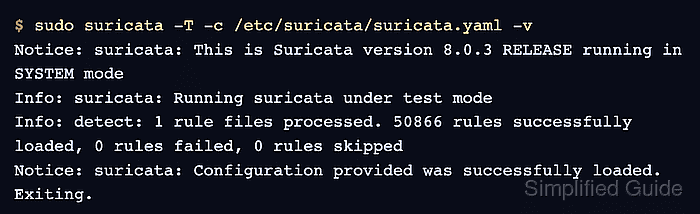
$ sudo suricata -T -c /etc/suricata/suricata.yaml -v
Notice: suricata: This is Suricata version 8.0.3 RELEASE running in SYSTEM mode
Info: suricata: Running suricata under test mode
Info: detect: 1 rule files processed. 50866 rules successfully loaded, 0 rules failed, 0 rules skipped
Notice: suricata: Configuration provided was successfully loaded. Exiting.
Rule counts vary by installed ruleset. A clean -T run confirms that the YAML and rule variables load, but it does not prove a live interface can capture traffic.
Related: How to test Suricata configuration - Restart Suricata after the configuration test passes.
$ sudo systemctl restart suricata
A restart briefly stops packet inspection while the daemon reloads its configuration. Use a maintenance window for production sensors.
Related: How to manage the Suricata service - Confirm that the service returned to the active state.
$ sudo systemctl is-active suricata
active