How to test Suricata configuration
Suricata configuration changes can affect packet capture, output files, rule loading, and detection variables at startup. Testing the active YAML file before a restart keeps parser errors and missing rule files from becoming a live sensor outage.
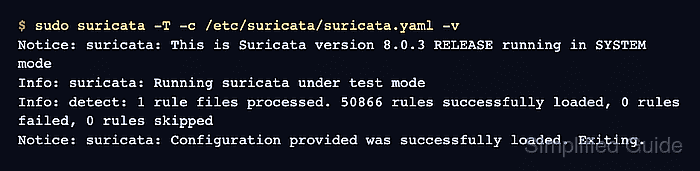
The suricata -T option initializes Suricata in test mode instead of starting packet processing. Pairing it with -c points the check at the configuration file used by the service, and -v leaves enough log detail to confirm whether rules were loaded or failed.
A clean configuration test does not prove that the interface can capture traffic or that alerts will fire for a specific packet. Use it as the gate before service restarts, offline pcap runs, or rule changes, then follow with the runtime or alert check that matches the change.
Related: How to update Suricata rules
Related: How to manage the Suricata service
Steps to test Suricata configuration:
- Open the Suricata configuration file that changed.
$ sudo vi /etc/suricata/suricata.yaml
Common edits include HOME_NET, rule-files, output settings such as eve-log, and capture sections such as af-packet.
- Run the configuration test against the service config.
$ sudo suricata -T -c /etc/suricata/suricata.yaml -v
Notice: suricata: This is Suricata version 8.0.3 RELEASE running in SYSTEM mode
Info: suricata: Running suricata under test mode
Info: detect: 1 rule files processed. 50866 rules successfully loaded, 0 rules failed, 0 rules skipped
Notice: suricata: Configuration provided was successfully loaded. Exiting.
-T runs test mode, -c selects the YAML file, and -v shows rule-load detail. Rule counts vary by installed ruleset. A warning that no rule files matched means the config parsed, but detection rules were not loaded.
Related: How to update Suricata rules - Read the first file and line if the test fails.
$ sudo suricata -T -c /etc/suricata/suricata.yaml
Error: conf-yaml-loader: Failed to parse configuration file at line 2350: did not find expected node content
Do not restart the service after a failed test; Suricata may exit during startup instead of using the changed configuration.
- Fix the reported YAML, rule, threshold, or include file before checking later errors.
$ sudo vi /etc/suricata/suricata.yaml
YAML indentation errors usually stop parsing before rule files are loaded. Use a sanitized snippet in the YAML Validator only for YAML parser issues; suricata -T is still required for Suricata paths and rule loading.
Tool: YAML Validator - Re-run the configuration test until Suricata reports a clean load.
$ sudo suricata -T -c /etc/suricata/suricata.yaml -v
Info: detect: 1 rule files processed. 50866 rules successfully loaded, 0 rules failed, 0 rules skipped
Notice: suricata: Configuration provided was successfully loaded. Exiting.
Restart or reload Suricata only after this check succeeds.
Related: How to manage the Suricata service