How to create a user alias in sudoers
Repeated sudoers rules are easy to misread when several operators need the same narrow command. A User_Alias gives that invoking-user list one uppercase name, so the sudoers rule can stay focused on the host, run-as user, and command being delegated.
A sudoers User_Alias belongs in the first field of a user specification, where sudoers decides who may request the command. Alias names must start with an uppercase letter and use uppercase letters, numbers, or underscores. Members can be local users, user IDs, groups, netgroups, non-Unix groups, or other user aliases, but each member still needs to represent the invoking account or group that should receive the same policy.
Use visudo for the drop-in so syntax errors do not replace a working sudoers policy. A small test rule can allow two maintenance users to run only /usr/bin/id as root, then visudo, sudo -l -U, and a non-interactive smoke test can prove that both alias members receive the rule while a non-member does not.
Related: Create a sudoers drop-in file
Related: Create a sudoers Runas alias
Related: Create a sudoers command alias
Steps to create a sudoers user alias:
- Choose the users and command for the shared sudoers rule.
The example uses deploy_auditor and release_auditor as the aliased users, helpdesk_test as a non-member check, and /usr/bin/id as the only delegated command. Replace them with existing users and a command path that matches the real task.
- Open a sudoers drop-in with visudo.
$ sudo visudo -f /etc/sudoers.d/40-maintainers
Related: How to create a sudoers drop-in file
- Add the User_Alias definition and the sudoers rule that references it.
- /etc/sudoers.d/40-maintainers
User_Alias MAINTAINERS = deploy_auditor, release_auditor
MAINTAINERS ALL=(root) NOPASSWD: /usr/bin/id
Do not redefine an existing alias name. Keep the command path as narrow as the delegated task allows; replacing /usr/bin/id with ALL would allow every alias member to run any command as root.
- Save the file from visudo.
If visudo reports a syntax error, choose edit or exit without saving. Do not force a broken sudoers file into place.
- Validate the changed drop-in.
$ sudo visudo -cf /etc/sudoers.d/40-maintainers
/etc/sudoers.d/40-maintainers: parsed OK
- Parse the complete sudoers policy.
$ sudo visudo -c
/etc/sudoers: parsed OK
Checking the full policy catches include-order and alias-reference problems that a single-file check can miss.
- List the privileges for the first alias member.
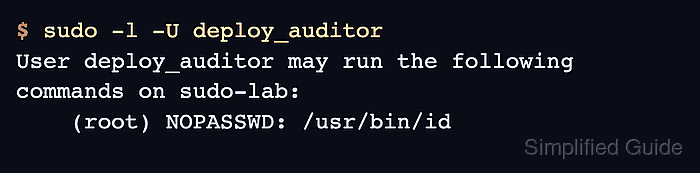
$ sudo -l -U deploy_auditor User deploy_auditor may run the following commands on sudo-lab: (root) NOPASSWD: /usr/bin/id - List the privileges for the second alias member.
$ sudo -l -U release_auditor
User release_auditor may run the following commands on sudo-lab:
    (root) NOPASSWD: /usr/bin/id
Both alias members should show the same rule. If one user is missing, recheck the user name, alias spelling, drop-in file name, rule order, and command path.
- Check a user who should not be in the alias.
$ sudo -l -U helpdesk_test
User helpdesk_test is not allowed to run sudo on sudo-lab.
- Run the delegated command as one alias member.
$ sudo -u deploy_auditor sudo -n /usr/bin/id
uid=0(root) gid=0(root) groups=0(root)
The -n option prevents an interactive password prompt during testing. The output should show root because the sudoers rule allows /usr/bin/id as root for members of MAINTAINERS.