How to use CA-signed SSH certificates for authentication
Static /home/user/.ssh/authorized_keys files become difficult to audit when the same people need access to many SSH servers. CA-signed OpenSSH user certificates let each server trust one signing public key while users receive short-lived login certificates tied to explicit principals such as user or an operations role.
The certificate authority signs a user's public key with ssh-keygen -s, and sshd trusts that signature through TrustedUserCAKeys. When no AuthorizedPrincipalsFile is configured, OpenSSH accepts the certificate only when one of its principals matches the target login username.
The CA private key can issue working login certificates for every server that trusts its public key. Keep the CA private key off ordinary application servers, issue certificates with short validity intervals, keep clocks in sync, and test a new certificate login before removing older fallback access.
Related: How to create an SSH key pair
Related: How to connect with SSH using a private key
Related: How to configure passwordless SSH login
Steps to use CA-signed SSH certificates for authentication:
- Generate a dedicated user certificate authority key on the signing host.
$ sudo ssh-keygen -t ed25519 -f /etc/ssh/ssh_user_ca -C "ssh user CA"
Generating public/private ed25519 key pair.
Enter passphrase (empty for no passphrase):
Enter same passphrase again:
Your identification has been saved in /etc/ssh/ssh_user_ca
Your public key has been saved in /etc/ssh/ssh_user_ca.pub
##### snipped #####
The private CA key is the signing root for user logins. Store it on a controlled signing host or hardware-backed signing workflow, not on every SSH server.
- Record the CA public key fingerprint before distributing trust.
$ ssh-keygen -l -f /etc/ssh/ssh_user_ca.pub
256 SHA256:cr0HVNlBZ7MqKDQ705wlEMquZ+G9cMdOjN0w/Wjl9uE ssh user CA (ED25519)
Compare this fingerprint on the server after transfer so a pasted or copied CA key is not silently changed.
Tool: SSH Key Fingerprint Checker - Copy only the CA public key to each SSH server.
$ scp /etc/ssh/ssh_user_ca.pub root@host.example.net:/tmp/ssh_user_ca.pub
Configuration management can distribute the same public key at scale. Do not copy /etc/ssh/ssh_user_ca, which is the private signing key.
- Install the CA public key on the SSH server.
$ sudo install -o root -g root -m 0644 /tmp/ssh_user_ca.pub /etc/ssh/trusted-user-ca-keys.pem
- Add the TrustedUserCAKeys directive on the SSH server.
$ sudoedit /etc/ssh/sshd_config.d/50-user-ca.conf
/etc/ssh/sshd_config.d/50-user-ca.conf
TrustedUserCAKeys /etc/ssh/trusted-user-ca-keys.pem
Without AuthorizedPrincipalsFile, the login username must appear in the certificate's principals list. Use a principals file later when role names or external identities should map to local accounts.
- Test the sshd configuration before applying it.
$ sudo sshd -t
No output means sshd parsed the active configuration and the referenced files were readable.
Related: How to test SSH server configuration - Reload the SSH service on the server.
$ sudo systemctl reload ssh
Use sshd instead of ssh on distributions that package the daemon under that unit name.
Related: How to manage the SSH server service with systemctl - Generate a user key on the client when no suitable key already exists.
$ ssh-keygen -t ed25519 -f ~/.ssh/id_ed25519_ca -C "user@client.example.net"
Use a passphrase for human login keys unless an automated signing workflow has a different protected-key policy.
Related: How to create an SSH key pair - Send the user's public key to the signing host.
$ scp ~/.ssh/id_ed25519_ca.pub ca-admin@ca.example.net:/tmp/user-id_ed25519_ca.pub
- Sign the user public key on the signing host.
$ sudo ssh-keygen -s /etc/ssh/ssh_user_ca \
  -I user-20260613 \
  -n user \
  -V +8h \
  -z 1001 \
  /tmp/user-id_ed25519_ca.pub
Signed user key /tmp/user-id_ed25519_ca-cert.pub: id "user-20260613" serial 1001 for user valid from 2026-06-13T10:00:00 to 2026-06-13T18:00:00
-I names the certificate in logs, -n sets accepted principals, -V sets the validity interval, and -z records a serial number for later audit or revocation work.
- Copy the signed certificate back to the client beside the matching private key.
$ scp ca-admin@ca.example.net:/tmp/user-id_ed25519_ca-cert.pub ~/.ssh/id_ed25519_ca-cert.pub
- Restrict the private key file on the client.
$ chmod 600 ~/.ssh/id_ed25519_ca
The public certificate file can remain readable. OpenSSH matches it to the private key by the -cert.pub suffix.
- Inspect the signed certificate on the client.
$ ssh-keygen -L -f ~/.ssh/id_ed25519_ca-cert.pub
/home/user/.ssh/id_ed25519_ca-cert.pub:
        Type: ssh-ed25519-cert-v01@openssh.com user certificate
        Public key: ED25519-CERT SHA256:KJ9LlTR8RlWZkifU+IJtJCJWXRwetRBKcQLO/wzBp10
        Signing CA: ED25519 SHA256:cr0HVNlBZ7MqKDQ705wlEMquZ+G9cMdOjN0w/Wjl9uE (using ssh-ed25519)
        Key ID: "user-20260613"
        Serial: 1001
        Valid: from 2026-06-13T10:00:00 to 2026-06-13T18:00:00
        Principals:
                user
        Critical Options: (none)
        Extensions:
                permit-X11-forwarding
                permit-agent-forwarding
                permit-port-forwarding
                permit-pty
                permit-user-rc
The Principals entry must include the account name or a name allowed by the server's AuthorizedPrincipalsFile policy.
- Connect with the signed certificate.
$ ssh -i ~/.ssh/id_ed25519_ca user@host.example.net hostname
host.example.net
OpenSSH automatically tries a certificate named id_ed25519_ca-cert.pub when it sits beside id_ed25519_ca. Use CertificateFile only when the certificate uses a different name or path.
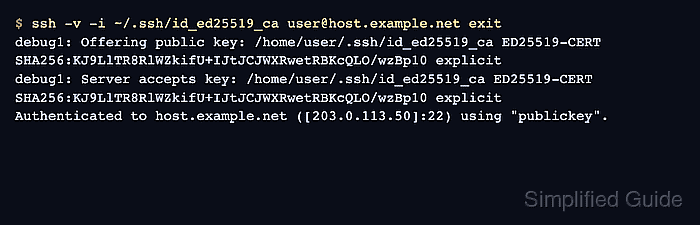
Related: How to log in to an SSH server from Linux - Run a verbose login check when the server should prove certificate authentication.
$ ssh -v -i ~/.ssh/id_ed25519_ca user@host.example.net exit
##### snipped #####
debug1: Offering public key: /home/user/.ssh/id_ed25519_ca ED25519-CERT SHA256:KJ9LlTR8RlWZkifU+IJtJCJWXRwetRBKcQLO/wzBp10 explicit
debug1: Server accepts key: /home/user/.ssh/id_ed25519_ca ED25519-CERT SHA256:KJ9LlTR8RlWZkifU+IJtJCJWXRwetRBKcQLO/wzBp10 explicit
Authenticated to host.example.net ([203.0.113.50]:22) using "publickey".
##### snipped #####
The ED25519-CERT lines distinguish the certificate login from an ordinary static public-key login.