How to speed up SSH authentication
A slow SSH login is the pause after the network connection opens but before the remote shell or command starts. That delay interrupts automation that opens many short sessions and makes routine administration feel stalled even when the server is reachable.
Authentication latency usually comes from work around the login exchange, including reverse DNS checks, GSSAPI negotiation, extra identities offered by ssh-agent, fallback authentication methods, and a full key exchange for every short command. Reducing the delay means checking which layers are active and removing only the unused work.
Current OpenSSH builds already default several delay-prone server settings to no, so check the effective daemon and client values before adding directives. Keep an existing session or console open while changing sshd policy, test the daemon syntax before reload, and prove the result with a new key-based login rather than a saved config file alone.
Steps to speed up SSH authentication:
- Measure the current SSH login time from the client.
$ time ssh user@host.example.net 'true'

real	0m0.093s
user	0m0.007s
sys	0m0.003s
Run the same command from the same client and network after each change. The real line is the wall-clock delay before the remote command starts.
- Check the effective server authentication settings.
$ sudo sshd -T
port 22
addressfamily any
##### snipped #####
gssapiauthentication no
usedns no
##### snipped #####
If both lines already show no, skip the server-side edit and focus on the client-side steps.
Related: How to view SSH server configuration - Open the server file that should carry the first active local override.
$ sudoedit /etc/ssh/sshd_config.d/10-login-speed.conf
Use an included drop-in on Ubuntu and Debian hosts that load /etc/ssh/sshd_config.d/*.conf. If another included file already sets either directive, edit that file or name the drop-in so sshd reads it before the conflicting value.
- Set unused lookup and GSSAPI paths to no.
/etc/ssh/sshd_config.d/10-login-speed.conf
UseDNS no
GSSAPIAuthentication no
Disable GSSAPIAuthentication only on servers that do not use Kerberos or another GSSAPI login path. With UseDNS no, use addresses rather than hostnames in ~/.ssh/authorized_keys from restrictions and Match Host rules.
- Test the updated sshd configuration.
$ sudo sshd -t
No output means sshd parsed the active configuration successfully.
Related: How to test SSH server configuration - Reload the SSH service.
$ sudo systemctl reload ssh
Use sudo systemctl reload sshd on systems where the unit is named sshd. If reload is not supported, restart only after the syntax test succeeds.
Related: How to manage the SSH server service with systemctl - Verify the effective server values after reload.
$ sudo sshd -T
port 22
addressfamily any
##### snipped #####
gssapiauthentication no
usedns no
##### snipped #####
- Create a private directory for multiplexing control sockets on the client.
$ mkdir -p ~/.ssh/muxmasters
- Restrict the client SSH directories.
$ chmod 700 ~/.ssh ~/.ssh/muxmasters
OpenSSH creates the ControlPath socket inside this directory, so other local users should not be able to write there.
- Open the per-user OpenSSH client configuration file.
$ vi ~/.ssh/config
- Add a host-specific block for the fast login path.
~/.ssh/config
Host host-fast
  HostName host.example.net
  User user
  IdentityFile ~/.ssh/id_ed25519
  IdentitiesOnly yes
  PreferredAuthentications publickey
  ControlMaster auto
  ControlPath ~/.ssh/muxmasters/%C
  ControlPersist 10m
IdentitiesOnly yes keeps ssh-agent from offering unrelated keys, while PreferredAuthentications publickey skips fallback methods for this alias.
- Restrict the client configuration file.
$ chmod 600 ~/.ssh/config
- Inspect the effective client configuration for the alias.
$ ssh -G host-fast
host host-fast
user user
hostname host.example.net
##### snipped #####
controlmaster auto
identitiesonly yes
preferredauthentications publickey
identityfile ~/.ssh/id_ed25519
controlpersist 600
##### snipped #####
ssh -G expands the matching Host block without opening a network connection.
Related: How to show SSH client configuration - Open the first key-based connection through the tuned alias.
$ time ssh host-fast 'true'

real	0m0.093s
user	0m0.007s
sys	0m0.003s
The first run still performs the normal network connection, host-key check, key exchange, and public-key authentication.
- Check that the multiplexed master connection is running.
$ ssh -O check host-fast
Master running (pid=60)
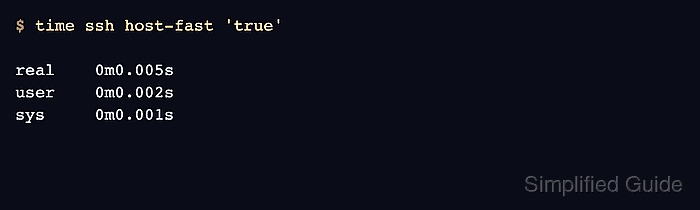
- Compare a follow-up SSH command through the same alias.
$ time ssh host-fast 'true'

real	0m0.005s
user	0m0.002s
sys	0m0.001s
A lower real time shows that later sessions are reusing the authenticated master connection during the ControlPersist window. If the second run still opens a full login exchange, inspect verbose client output for the next authentication method or control-socket error.
Related: How to enable verbose SSH server logging